Discover top Miracast dongles that deliver reliable screen mirroring across iOS, Android, Windows, and Mac devices. This guide compares five leading options, highlighting performance, compatibility, and ease of use to help you choose the right wireless HDMI dongle for home theaters, classrooms, or business presentations.
| Product | Brand | Key Benefit |
|---|---|---|
| Wireless HDMI Display Dongle Adapter | Redwalk | Cross-platform AirPlay & Miracast, 1080p streaming |
| Wireless HDMI Display Dongle Adapter | YGXLWF | Seamless mirror with 1080p, cross‑platform |
| 5G Wireless HDMI Display Adapter Dongle | QIDUHUQI | 5G/4K output, wide device compatibility |
| Wireless HDMI Display Dongle Adapter for TV | Quanlex | 4K support, three casting modes, no app |
| AIMIBO 4K Wireless Display Adapter | AIMIBO | 4K/5G, plug & play, broad OS support |
The following sections profile each product, focusing on applicability for different setups—home theater, classroom, or office—without relying on a single ecosystem. Consider your devices, expected latency, and display size when comparing these options.
Redwalk Wireless HDMI Display Dongle Adapter
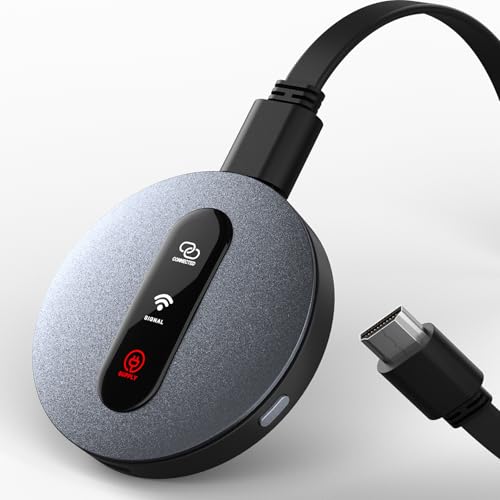
Redwalk’s Wireless HDMI Display Dongle offers instant screen sharing with no apps, drivers, or Wi-Fi setup. Simply insert the HDMI dongle and press the Mirror button to begin streaming. It supports AirPlay for iOS and Mac, and Miracast for Android and Windows, delivering cross‑platform versatility. The device is designed for all HDMI displays, including HDTVs, monitors, and projectors, delivering up to 1080p Full HD at 60Hz. It also supports landscape and portrait modes to fit various content formats, making it suitable for conference rooms, living rooms, and classrooms. The plug-and-play setup reduces barriers for guests or students who need quick screen sharing.
Key considerations: compatibility with a wide range of devices, straightforward user interface, and robust 1080p performance. Latency is typically low for casual streaming and presentations, though not all users require 4K. If you value quick setup and broad support without relying on a home network, Redwalk is a practical choice.
YGXLWF Miracast Dongle With AirPlay DLNA

YGXLWF provides a plug-and-play wireless HDMI display dongle with Miracast and AirPlay support. It emphasizes cross‑platform compatibility and quick setup, with a focus on delivering a stable 1080p stream. The dongle is tailored for users who need to switch between landscape and portrait modes to suit different content, which is useful for slide decks, design showcases, or educational content. Its compact design makes it portable for classrooms or mobile presentations. The absence of complicated software means fewer compatibility headaches when connecting to various devices.
Tradeoffs: while 1080p is standard for many environments, some users may seek higher resolutions for premium home theaters. If 1080p suffices and you value simplicity and cross‑platform support, YGXLWF is a solid, budget-friendly option.
QIDUHUQI 5G Wireless HDMI Display Dongle

QIDUHUQI’s 5G Wireless HDMI Display Dongle emphasizes high-speed transmission and 4K capable output. It supports screen mirroring and extension modes, allowing content to project to HDTVs, projectors, or displays wirelessly. The device is designed for business and education use, with a chipset that minimizes lag and maintains color accuracy for rich visuals. The compact form factor and broad compatibility with HDMI displays make it suitable for conference rooms, training sessions, or home entertainment setups where 4K quality is desired for future-ready screens.
Considerations include ensuring your sending device supports Miracast or AirPlay and understanding that actual 4K performance may depend on network conditions and device capabilities. If you need higher resolution and a more flexible mode set, QIDUHUQI offers compelling value.
Quanlex 4K Miracast DLNA AirPlay Wireless Display Dongle

Quanlex’s Wireless HDMI Display Dongle focuses on 4K output with AirPlay, Miracast, and DLNA support. It is designed for a range of devices, including iOS, Android, Windows, and Mac, enabling screen mirroring and extension modes without needing apps. The dual-band 2.4G/5G connectivity helps maintain stable transmission with relatively low latency, which is beneficial for presentations, streaming, and collaborative work in larger rooms. The straightforward setup—plug, power, and connect—appeals to users who want a hassle-free experience in meetings or educational settings.
Strengths include robust multi-protocol support and a straightforward path to 4K content. Potential downsides could be limits in ultra-high-end gaming latency or compatibility with some streaming apps that employ HDCP protections. For general use and professional presentations, Quanlex delivers dependable performance.
AIMIBO 4K Wireless Display Adapter
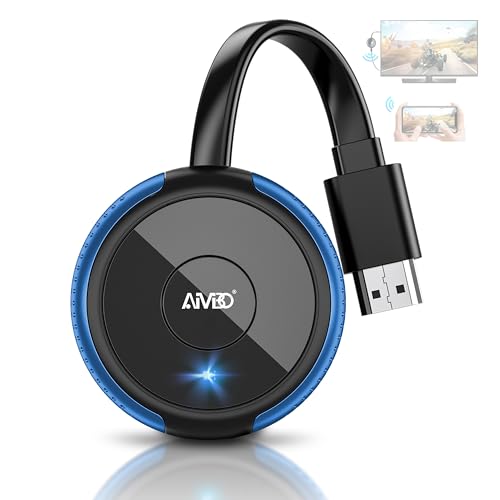
AIMIBO’s 4K Wireless Display Adapter emphasizes plug-and-play simplicity with 4K support and dual-band 2.4G/5G networking. It targets a broad audience, including iOS, Android, Windows, and Mac users, with AirPlay, Miracast, and DLNA compatibility. The direct, no-app setup makes it suitable for classrooms, business presentations, or home entertainment, especially when a reliable 4K stream is desired. The device’s design supports quick switching between direct mirroring and DLNA-based streaming, offering flexibility for different content types and devices.
Considerations for AIMIBO include ensuring your source device can leverage 4K mirroring and acknowledging potential variance in real-world 4K performance due to bandwidth and hardware constraints. For users prioritizing 4K output and broad OS support without complicated setup, AIMIBO provides a compelling mix of features.
Buying Guide: Key Purchase Considerations
Video Quality and Resolution
Choose a dongle that supports at least 1080p, with 4K support preferred if your displays are capable. Real-world resolution depends on your source device, network (if used), and the dongle’s chipset. For most living rooms and classrooms, 1080p provides clear, smooth playback, while 4K is ideal for premium displays and future-ready setups.
Compatibility and Protocols
Look for multi‑protocol support (AirPlay, Miracast, DLNA) to cover iOS, Android, Windows, and Mac. Cross‑platform dongles simplify sharing across devices and reduce compatibility issues during presentations or group viewing.
Latency and Responsiveness
Latency matters for interactive use (presentations with live annotations, gaming, or video calls). Dual‑band 2.4G/5G or equivalent technologies help minimize delay. If you plan to use the dongle for real-time collaboration, prioritize models marketed for low latency.
Setup and Usability
Favor plug‑and‑play designs with minimal configuration. A straightforward mirror/extend option, plus clear indicators, makes it easier for guests, students, or coworkers to connect without IT support.
Portability and Compatibility
Consider size, USB power requirements, and whether power is delivered by the TV or an external adapter. Portability is essential for classrooms and business travel, and ensures compatibility with a wide range of displays.
Security and Privacy
Be mindful of devices that automatically broadcast screen content. Review device prompts and ensure you can disable or control connections in shared spaces. Prefer dongles with explicit pairing controls and clear user manuals.
In choosing the best Miracast dongle, balance resolution needs, device compatibility, and ease of use. The options above offer a spectrum from quick, affordable mirroring to high‑quality 4K streaming with broad OS support. Consider your typical use case—home entertainment, classrooms, or office presentations—and select a model that best aligns with those requirements.