SATA hard drives remain a top choice for desktop PCs and NAS setups, balancing capacity, price, and reliability. This guide highlights five solid options from well-known brands, covering capacities from 2TB to 8TB. Learn how to match drive speed, cache, and intended use to your system, whether for gaming, media storage, or professional workloads.
| Product | Brand | Capacity | Typical Use | Key Benefit |
|---|---|---|---|---|
| Seagate BarraCuda 8TB | Seagate | 8 TB | Main storage & general PC use | High capacity with reliable BarraCuda platform |
| Seagate BarraCuda 4TB | Seagate | 4 TB | Everyday computing & gaming | Balanced performance and capacity |
| Seagate BarraCuda 2TB | Seagate | 2 TB | System drive, cloning ready | Fast 7200 RPM with solid cache |
| WD Blue 4TB | WD | 4 TB | Stable, everyday PC tasks | Reliable WD quality with cloning software |
| WD Black 6TB | WD | 6 TB | Gaming & performance builds | Designed for high performance |
Below are five detailed product sections with image blocks and feature highlights to help you compare options at a glance. Each section uses an official listing as a reference point for performance and compatibility.
Seagate BarraCuda 8TB Internal HDD
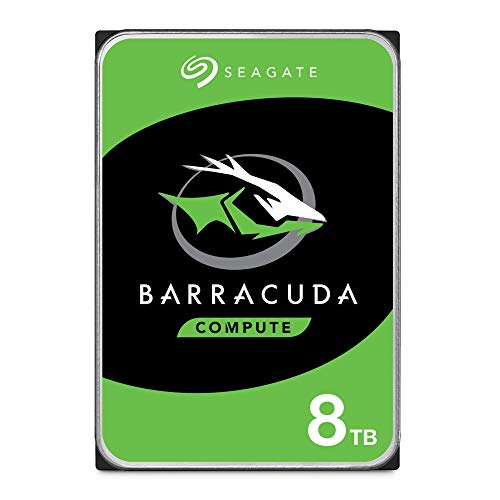
The Seagate BarraCuda 8TB drive is built to store more and run reliably in desktop PCs. It suits a wide range of applications, from music and photo editing to gaming. A typical sustained transfer rate around 190 MB/s supports steady workloads across diverse tasks, making it a versatile choice for single-drive systems or as part of a larger storage array in a desktop setup.
Key points: high capacity, broad compatibility, and a balance of performance and cost. BarraCuda drives are widely used in gaming rigs and professional workstations where large data pools are common. The 8TB model provides ample space for large game libraries, multimedia projects, and backups.
Seagate BarraCuda 4TB Internal HDD
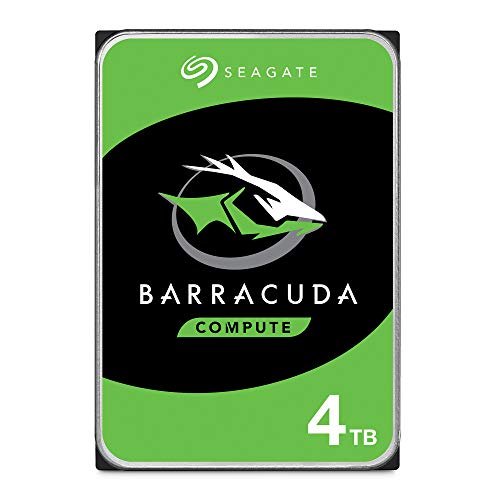
This 4TB BarraCuda model continues Seagate’s tradition of reliable desktop storage, offering a 3.5-inch form factor with SATA 6 Gb/s. It balances capacity with accessible price points, ideal for expanding an existing PC’s storage or building a compact gaming rig. Its 5400 RPM or 5400+ RPM variants provide quiet operation suitable for living room or bedroom setups where acoustics matter.
Attributes include a practical storage capacity for large media libraries, daily productivity, and PC gaming libraries. It pairs well with a primary SSD for a hybrid setup, delivering a strong overall user experience without breaking the budget.
Seagate BarraCuda 2TB Internal HDD

The 2TB BarraCuda offers a practical solution for upgrading an existing desktop or outfitting a system with a dedicated drive for cloning and backups. It emphasizes compatibility and simple cloning workflows, making it easy to migrate data from older drives. Seagate provides DiscWizard software to streamline transfers and backup tasks, a plus for users managing multiple systems.
Performance is backed by a dependable 3.5-inch SATA interface and a solid cache footprint, delivering fast drive responsiveness for everyday computing tasks and light-to-moderate workloads. The 2TB option is well-suited for users who want to add capacity without changing their boot drive configuration.
WD Blue 4TB Internal HDD

The WD Blue 4TB drive emphasizes reliability for everyday computing. WD’s reputation for durable storage is complemented by tools like cloning software to simplify data migration, making it a strong choice for users upgrading an existing PC or building a dependable workhorse machine. The drive is designed to handle daily tasks, media storage, and general productivity with consistent performance.
Use cases include expanding a desktop’s data capacity, storing media libraries, and serving as a primary drive for a home workstation. WD Blue drives are widely compatible with many PC configurations and offer a familiar balance of performance, capacity, and price.
WD Black 6TB Internal HDD

WD Black is designed for performance-focused PC builders and gamers. The 6TB capacity pairs with a fast rotation speed to deliver robust performance for boot drives, game libraries, and demanding applications. This drive targets users who prioritize speed and responsiveness, such as system builders and creative professionals who rely on quick access to large datasets.
Key advantages include higher sustained transfer rates, strong caching, and a drive built for gaming and creative workloads. It’s a solid option for performance-oriented desktops where speed complements capacity.
Buying Guide: Key Purchase Considerations
- Capacity vs. workload: Choose capacity based on your data footprint and backup strategy. For media libraries and game collections, higher capacities (4TB–8TB) reduce maintenance time and daily file management tasks.
- RPM and performance: Higher RPM (7200) often translates to faster access times and improved sequential transfer rates, at the cost of potentially higher power use and noise. For quiet setups, consider drives with optimized acoustics or lower RPM variants when appropriate.
- Cache size: Larger caches (128–256 MB) help with burst transfers and smoother multitasking, especially in gaming and media editing workflows.
- Reliability and warranty: Reputable brands with proven track records reduce long-term risk. A longer warranty can provide extra peace of mind for valuable data stores.
- Use case alignment: Desktop drives are suitable for general storage and gaming, while NAS-focused drives (with NASware or similar firmware) are better for multi-user environments and always-on systems.
- Cloning and migration tools: Built-in or provided software (such as DiscWizard or True Image) facilitates data transfer from older drives or systems, saving setup time.
- Noise and power considerations: For living room PCs or quiet workstations, opt for drives designed for lower acoustics or consider cooling solutions to manage heat generation in densely packed builds.
- Compatibility: Ensure the chosen drive is compatible with your motherboard, power supply, and available SATA ports. Check for UEFI/BIOS support in larger storage configurations (especially in NAS setups).
- Future-proofing: If you anticipate expanding storage, consider drives that scale well in your current system—either as a primary drive or as part of a larger storage array.