For anyone who writes or sketches on an iPad, a paper-like screen protector can transform the experience. This guide highlights five top options designed to feel like paper, reduce glare, and preserve Apple Pencil precision. Each product emphasizes a natural writing texture, compatibility with common iPad models, and easy installation. Read on to compare features and find the best fit for your iPad and writing style.
| Product | Brand | Compatibility | Note |
|---|---|---|---|
| ESR 2 Pack Paper-Feel Screen Protectors | ESR | iPad 11″ A16 (2025) and iPad 10th Gen (2022) | Paper-like texture with alignment frame |
| MOBDIK 2 Pack Paperfeel Screen Protector | MOBDIK | iPad 11th/10th Gen, iPad Air 11 M3/M2 (2025/2025) | New paperfeel nano texture |
| SPARIN 2 Pack Paper Glass Screen Protector | SPARIN | iPad A16 11th / 10th Gen (2025/2022) | Tempered glass with paper-like feel |
| Peslv 2 Pack Like Paper Screen Protector | Peslv | iPad Air 5th/4th Gen, iPad Pro 11 (2022–2018) | Paper-like feel with blue light filtering |
| ESR 2 Pack Paper-Feel for iPad Pro 13″ | ESR | iPad Pro 13″ (M4, 2025) | Bubble-free assembly tray |
ESR 2 Pack Paper-Feel Screen Protectors for iPad A16 11th/10th Gen

The ESR package targets iPad 11″ A16 (2025) and iPad 10th Gen (2022) with a paper-like PET surface. The alignment frame supports bubble-free installation, while the 9H tempered glass core provides protection without sacrificing touch sensitivity. The surface texture offers natural friction for writing with the Apple Pencil, closely mimicking real paper for notes and sketches.
MOBDIK 2 Pack Paperfeel Screen Protector for A16 / A Air Series

The MOBDIK option is compatible with iPad 11th/10th Gen and iPad Air 11 M3/M2 models, offering a new paperfeel surface achieved through advanced nano-texture technology. It emphasizes a smoother, more natural writing gesture, with anti-glare properties and straightforward installation. The product notes include a broad compatibility list and a caveat to verify device model before purchase.
SPARIN 2 Pack Paper Glass Screen Protector for iPad A16 11th/10th Gen

SPARIN combines a tempered glass core with a micro-textured surface that mimics sketch paper. The protector is designed for precise pencil control and features an easy alignment tool for bubble-free installation. It aims to balance the durability of glass with a softer, paper-like writing feel suitable for notes, diagrams, and signatures, while maintaining full Apple Pencil compatibility.
Peslv 2 Pack Like Paper Screen Protector For iPad Air 5th & Air 4th
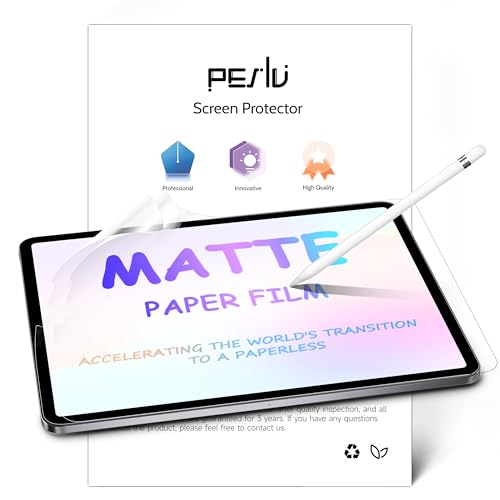
Peslv’s like-paper protectors use Japan-sourced paper film technology to deliver a 99% paper-feel and smooth interaction with the Apple Pencil. The product emphasizes eye protection through blue light filtration and glare reduction, making long writing or drawing sessions more comfortable. It is compatible with iPad Air 4/5 and iPad Pro 11, providing a broad canvas for creators who value a tactile, paper-like surface.
ESR 2 Pack Paper-Feel Screen Protector For iPad Pro 13 Inch M4 2025

Designed for the iPad Pro 13″ M4 (2025), this ESR offering provides a paper-like writing texture while maintaining a slim profile and high touch responsiveness. The included easy application tray helps achieve bubble-free installation, ensuring clean lines and consistent pen control for artists and students who annotate or sketch on a larger display.
Paperlike 2.0 (Previous Model) for iPad Air 10.5″ & iPad Pro 10.5″

Paperlike 2.0 is a recognized name in paper-like protection, featuring Nanodots technology intended to simulate a paper surface. It includes two screen protectors and cleaning accessories to support proper setup, reducing pencil nib wear and improving the feel during writing or drawing sessions. This option suits users who prefer a long-standing, documented paper-like experience on older iPad models.
MOBDIK 2 Pack Paperfeel Screen Protector For iPad 9.7 Inch

This MOBDIK option targets older 9.7-inch iPads, with a focus on natural writing and anti-glare properties. It includes an installation kit to help users achieve a bubble-free setup and preserve pencil nib life while delivering a paper-like texture for notes, sketches, and handwriting applications on compatible devices.
Buying Guide: Key Purchase Considerations
- Device compatibility: Confirm your iPad model number (back of device) to ensure the protector matches your screen size and generation. Some protectors are mathched only to 11-inch or 10th/11th Gen models, while others cover Pro 13″ or iPad Air variants.
- Surface texture: Choose between paper-like PET or nano-textured surfaces versus tempered glass with a paper feel. PET textures offer smoother writing and lower nib wear, while glass protectors emphasize durability with a firmer feel.
- Gloss vs. anti-glare: If glare from ambient light is a concern, seek anti-glare or matte finishes. These reduce reflections but can slightly dull on-screen sharpness.
- Installation: Look for bubble-free kits, alignment frames, or trays. A straightforward setup reduces air pockets and ensures precise Pencil alignment for accurate input.
- Protection level: Tempting as it is to pick paper-like glass, ensure the protector’s hardness rating (e.g., 9H) and edge-to-edge coverage align with usage—noteful notes and frequent erasing may require tougher protection.
- Pen compatibility: Verify compatibility with Apple Pencil (1st/2nd generation) since some surfaces may feel different depending on nib design and latency.
- Eye comfort: Some protectors include blue light filtration and glare reduction, which can reduce eye strain during long writing sessions.
- Durability and wear: Repeated writing with pencils or styluses can wear down edges. Consider protectors designed to minimize nib abrasion and provide a smooth surface over time.
- Return policy and warranty: If you are unsure about fit, check for return options and any brand warranties to safeguard your purchase.