Choosing a home printer that specializes in photos means balancing speed, image quality, and ease of use. This guide highlights top models that excel at turning digital memories into lasting prints, whether you’re sharing moments with family or creating scrapbook-ready keepsakes. The following selections emphasize 4×6 and small-format prints, wireless connectivity, and user-friendly setup for American households.
Summary of Selected Products
| Product | Brand | Key Strengths |
|---|---|---|
| Liene M100 4×6″ Photo Printer (Wi-Fi) | Liene | Thermal dye-sublimation, portable, built-in Wi‑Fi hotspot, 4×6 prints |
| KODAK Dock Plus 4PASS | KODAK | Docking/charging, 4×6 prints, Bluetooth, bundle-friendly |
| Canon PIXMA TS6520 | Canon | All-in-one: print, scan, copy; color inkjet; compact design |
| KODAK Step Instant Photo Printer | KODAK | Pocket-size, 2×3″ sticky-back prints, Bluetooth/NFC |
| HP Envy Photo 7975 | HP | AI-enabled, multi-function, high-quality photos and documents |
Liene M100 4×6″ Photo Printer, Wi-Fi

The Liene M100 4×6″ photo printer uses thermal dye-sublimation to deliver vibrant, water- and fade-resistant prints with a laminated surface. It supports iPhone, Android, and PC devices via Wi-Fi, and includes a complete package with multiple cartridges and paper. The compact design and built-in hotspot enable direct printing without relying on home Wi-Fi networks, making it suitable for quick family photos and travel snapshots.
KODAK Dock Plus 4PASS Instant Photo Printer

The Kodak Dock Plus 4PASS printer docks and charges your phone while printing 4×6 photos. It supports wireless Bluetooth connectivity and is designed for home or classroom use, offering a straightforward way to print memories from iPhone or Android devices. The Value Pack provides additional paper, making it a practical option for regular photo printing at home.
Canon PIXMA TS6520 Wireless Color Inkjet Printer

This all-in-one printer from Canon blends versatility with user-friendly operation and offers crisp 4×6 photo prints alongside reliable document handling. Its two-cartridge hybrid ink system supports sharp text and vibrant images, while the compact footprint suits home offices or living spaces. Easy setup helps it integrate with smartphones and computers for quick photo printing.
KODAK Step Instant Photo Printer

The KODAK Step printer uses zero-ink ZINK technology to produce 2×3″ sticky-backed photos. It connects via Bluetooth or NFC and works with a dedicated editing app for creative customization. Its compact size makes it ideal for on-the-go printing, school projects, and scrapbooking, where small prints are sufficient for quick memories.
HP Envy Photo 7975
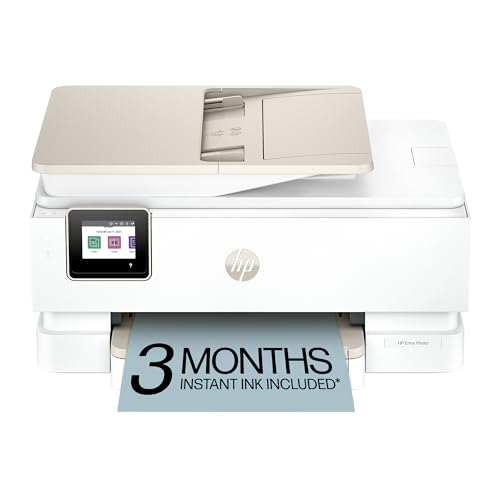
The HP Envy Photo 7975 is a feature-rich multifunction device designed for home use. It supports wireless printing, scanning, and copying with AI-enabled features to optimize layouts and image quality. The printer is suitable for high-quality photo printing as well as everyday documents, offering convenient mobile printing and security features to fit family workflows.
Buying Guide: Key Considerations for Home Photo Printing
- Print technology: Dye-sublimation and dye-based inkjet printers excel at color accuracy and durable prints, while ZINK-based mini printers emphasize portability and sticky-back photos for quick crafts.
- Print size and format: If you mostly print 4×6 photos, prioritize models that natively support 4×6 or offer efficient borderless printing. For scrapbooks or stickers, consider 2×3 or sticky-back options.
- Connectivity: Look for Wi-Fi, Bluetooth, and optional direct hotspot capabilities. Direct device-to-printer connections reduce network issues and provide faster setup for family use.
- Cartridge and paper cost: Evaluate ongoing consumable costs, including cartridges and photo paper. Bundles may provide better value for frequent printing.
- All-in-one features: If you need scanning, copying, or faxing, an all-in-one model adds versatility for home offices and schoolwork.
- Software and app support: Reliable companion apps enable easy editing, collaging, and direct mobile printing. Check compatibility with iOS and Android ecosystems.
- Durability and finish: Seek printers that deliver water- and fade-resistant prints, and consider lamination or protective coatings for long-lasting photos.
- Maintenance and reliability: Printer head cleaning, jam reduction, and ease of refilling papers influence long-term satisfaction with a home photo printer.
- Privacy and security: For shared households, consider printers with secure print options and network controls to guard personal photos.