Choosing the right wireless bridge router can dramatically improve coverage across barns, garages, guest houses, or remote buildings. This guide highlights five robust options that balance performance, reliability, and ease of use. Each entry includes core capabilities, ideal use cases, and practical considerations to help you compare models head-to-head.
| Product | Brand | Type | Pros |
|---|---|---|---|
| GL.iNet GL-SFT1200 (Opal) Portable WiFi Travel Router | GL.iNet | Portable Dual-Band OpenWrt Router | VPN ready, compact, flexible deployment |
| TP-Link Omada Point to Point Wireless Bridge Outdoor | TP-Link | Outdoor PtP PtMP Wireless Bridge | Long range, weatherproof, PoE options |
| UeeVii CPE450 Wireless Bridge Kit with WR3000K Router | UeeVii | Outdoor Wireless Bridge + WiFi 6 Router Kit | Integrated solution, 5.8 GHz clarity, point-to-point |
| TP-Link AC1200 Wireless Gigabit Access Point TL-WA1201 | TP-Link | Bridge/Access Point | MIMO, multiple modes, PoE friendly |
| UeeVii Dual-Band Wireless Bridge Router Kit | UeeVii | Bridge Router Kit | Plug-and-play, dual-band, outdoor-ready |
The following sections present each selected product with a concise overview, key features, and practical notes for users aiming to extend network reach with a dedicated bridge or point-to-point setup. Links open in a new tab for easy browsing.
GL.iNet Opal Portable Dual-Band OpenWrt Router

GL.iNet’s GL-SFT1200 Opal combines portability with OpenWrt flexibility. It delivers up to 300 Mbps on 2.4 GHz and 867 Mbps on 5 GHz for a total of 867 Mbps practical bandwidth, suitable for quick deployments in remote locations. The device supports VPN features and is designed for simple setup and management, making it a strong option for travelers or small-scale field networks. The compact form factor supports on-the-go sites that require reliable wireless bridging with minimal equipment.
Key considerations include real-world speeds that depend on distance and obstructions. The OpenWrt compatibility is a plus for users who want advanced customization, while the device remains approachable for straightforward bridging tasks. The Opal is ideal for creating a temporary or portable bridge between a modem and a distant access point.
TP-Link Omada Outdoor PtP Wireless Bridge
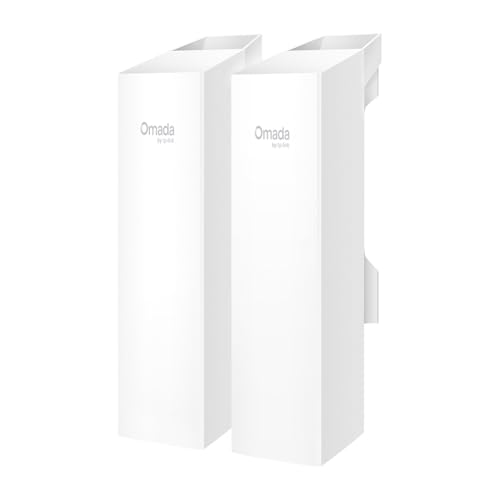
This TP-Link Omada solution is designed for dependable outdoor point-to-point and point-to-multipoint connections. With 5 GHz operation and an outdoor-ready build, it supports long-range bridging between buildings and remote sites. The setup emphasizes centralized management through Omada’s cloud-based platform, enabling consistent configuration, monitoring, and security across multiple bridges. It also supports easy pairing via kit configurations to speed up deployment.
Practical use cases include linking a workshop to a main house or extending coverage to a farm outbuilding. Environmental resistance and PoE options help simplify installation in varied weather conditions. Users should consider line-of-sight and regulatory limits for outdoor deployments when planning a bridge layout.
UeeVii CPE450 Outdoor Wireless Bridge and WR3000K Router Kit

The UeeVii CPE450 and WR3000K kit combines a durable outdoor wireless bridge with a WiFi 6 router to create a complete point-to-point or multipoint network expansion. The system emphasizes a unified network management experience and a straightforward, kit-based deployment. With enhanced dual 100 Mbps ports and 300 Mbps bridge speeds on the 5.8 GHz band, it’s suitable for expanding coverage to distant buildings while maintaining reliable throughput for typical office or workshop devices.
Considerations include ensuring proper weatherproofing and line-of-sight for the best range. The kit approach reduces compatibility concerns and speeds up initial configuration, which is useful for quick deployments where multiple locations must be connected without complex cabling.
TP-Link AC1200 Wireless Gigabit AP Bridge TL-WA1201
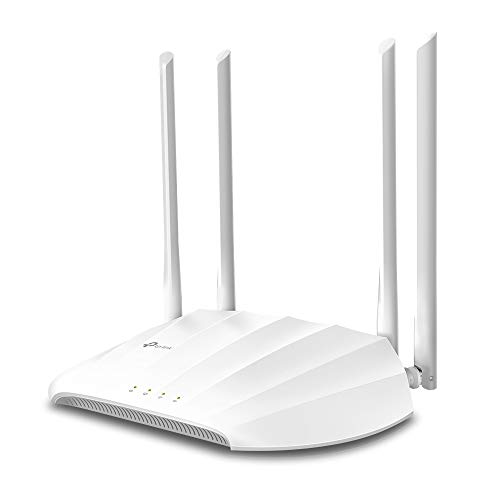
TL-WA1201 provides stable dual-band performance with MU-MIMO and Beamforming capabilities to support multiple devices concurrently. It can operate as a client, range extender, or access point, making it a flexible choice for bridging wired devices into a wireless network or extending coverage to a distant area. The device supports Passive PoE, which simplifies installation by reducing the number of power cables needed at remote sites.
Consider that MU-MIMO and beamforming help in crowded environments, but the actual throughput depends on network topology and interference. This model is a practical bridge option for users who want a compact, versatile device that can be deployed in various roles around a home or small business.
BrosTrend AC1200 WiFi To Ethernet Adapter
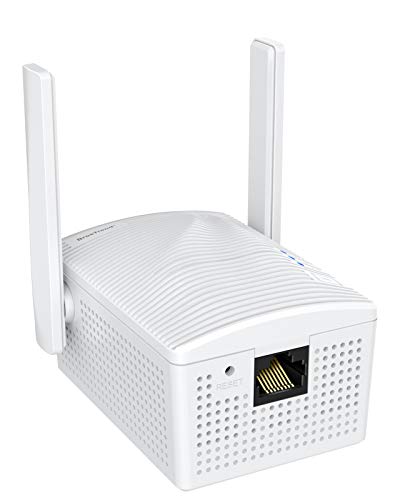
This BrosTrend adapter is designed for converting wired devices into wireless clients. It supports AC1200 speeds with 867 Mbps on 5 GHz and 300 Mbps on 2.4 GHz, making it a useful bridge option to connect smart TVs, gaming consoles, or printers to a wireless network. It requires minimal setup and is compatible with a wide range of Ethernet-enabled devices, offering a straightforward path to bridge a wired device to a wireless network.
When selecting this device, assess whether you need a dedicated bridge device or a more capable router-as-bridge solution. This adapter is best for households that want a simple plug-and-play bridge for a single device rather than a broader network extension.
Buying Guide: Key Considerations For Wireless Bridge Routers
- Bridge Type and Range: Determine whether you need a dedicated outdoor PtP/PTMP bridge, a portable travel router with OpenWrt, or a multi-function bridge/AP. Outdoor bridges generally require line-of-sight and may offer longer ranges, while indoor devices prioritize compactness and ease of use.
- Network Scale: For a single outbuilding, a robust outdoor bridge or a high-quality AP bridge may suffice. For multiple structures, consider a centralized management system (for example, Omada Cloud) to simplify configuration and monitoring across the network.
- Wi-Fi Standards and Speed: Look for dual-band support (2.4 GHz and 5 GHz) and, if possible, Wi-Fi 6 or newer for better capacity in crowded environments. Real-world speeds depend on distance, interference, and hardware capabilities.
- Power Options: PoE compatibility simplifies installation for outdoor or hard-to-reach locations. Passive PoE is common in AP/bridge devices and reduces cabling complexity.
- Security and Management: VPN support, firewall features, and centralized cloud management help protect the network. OpenWrt compatibility is valuable for advanced users needing custom configurations.
- Compatibility and Upgrades: Ensure the device works with existing modems and routers, and verify upgrade paths through firmware updates or ecosystem integrations (like Omada or OpenWrt support).
- Installation Environment: Weatherproofing is critical for outdoor deployments. Temperature range, humidity, and UV exposure can influence device longevity and reliability.
- Ease of Setup: If you’re new to bridging, prioritize devices with guided setup, quick-start guides, and robust customer support.
In sum, the best wireless bridge router choice depends on your site layout, range requirements, and whether you prefer a plug-and-play approach or deeper network customization. The options listed above balance practical bridging needs with flexible management and scalable expansion opportunities, helping you extend coverage across multiple buildings without running new cables.