Discover top wireless storage options that work seamlessly with Mac computers. This guide highlights five reliable wireless or network-enabled drives, focusing on ease of use, data security, and cross-device access. Each product includes a quick overview, key features, and practical notes to help choose the right solution for backups, media sharing, and portable cloud storage.
| Product | Brand | Capacity | Key Benefit |
|---|---|---|---|
| SSK 2TB Portable NAS External Wireless Hard Drive | SSK | 2TB | High-speed wireless access with remote management |
| SSK 1TB Personal Cloud External Wireless Hard Drive | SSK | 1TB | Pocket-sized wireless cloud and one-click backup |
| Apple Time Capsule 2TB (Refurbished) | Apple | 2TB | Time Machine compatibility, built-in Wi‑Fi base |
| BUFFALO LinkStation 210 4TB NAS | BUFFALO | 4TB | Home cloud and centralized network storage |
| SSK 1TB Portable External SSD With Wi‑Fi | SSK | 1TB | High-speed wireless SSD with hotspot |
SSK 2TB Portable NAS Wireless Drive
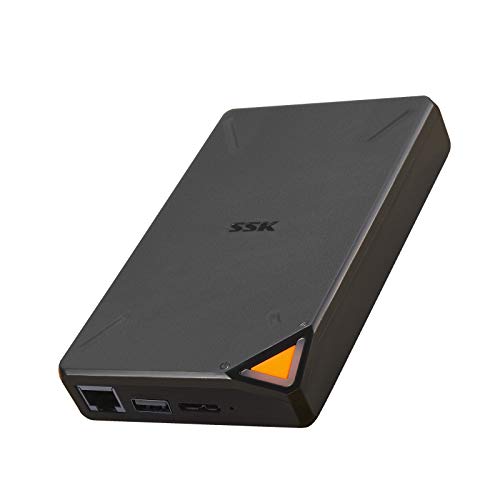
The SSK 2TB Portable NAS External Wireless Hard Drive combines a two-terabyte HDD with built-in Wi‑Fi and remote access. It supports high-speed wireless transmission and allows data to be accessed by PCs, phones, or tablets without a wired connection. The device enables private and public areas for data separation, with one-click backup and flexible sharing across multiple users. It is designed for portable, anywhere storage and can act as a personal cloud with secure P2P transmission for sensitive content.
Key considerations include wireless range, battery or power needs (check if it requires a constant power source), and app compatibility on iOS and Android. For Mac users, ensure you can map the drive as a network location and leverage Samba/DLNA compatibility for smart TVs and other devices. Overall, this model emphasizes local network access with optional remote connectivity, making it suitable for households and small offices.
SSK 1TB Personal Cloud Wireless Drive
The SSK 1TB Personal Cloud External Wireless Hard Drive offers a compact form factor with 1TB of storage and built-in Wi‑Fi. It supports remote access via a dedicated app for iOS and Android, enables one-click backups, and allows multi-user sharing. The drive can create private and public areas, improving data organization and security. It also supports Samba and DLNA protocols so other devices on the LAN can access content from the cloud drive.
For Mac users, verify how the device is mounted on macOS and consider network security when enabling remote sharing. The portability makes it suitable for travel or temporary workspaces, while the wireless hotspot capability provides convenient on-the-go backups for mobile devices and laptops without needing a router.
Apple Time Capsule 2TB (Refurbished)
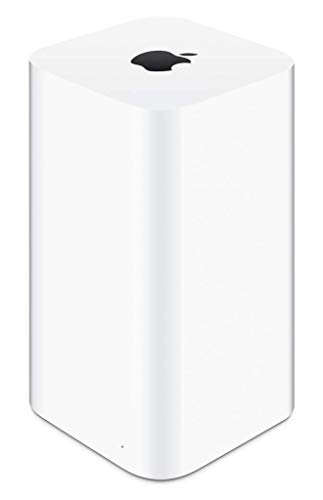
The Apple Time Capsule 2TB provides a combination of wireless storage and a Wi‑Fi base station, optimized for macOS Time Machine backups. This refurbished option delivers a familiar Mac-ready experience with simple setup, automatic backups, and reliable wireless performance. It functions as a centralized backup target and a home Wi‑Fi router, though updates and feature availability may vary with modern macOS versions.
When evaluating compatibility, confirm Time Machine support on your macOS version and ensure the Time Capsule remains within the recommended wireless range of your devices. If you rely heavily on newer AirPort features, consider newer options, but for Mac-centric backup workflows, this device remains a straightforward, integrated solution.
BUFFALO LinkStation 210 NAS (4TB)
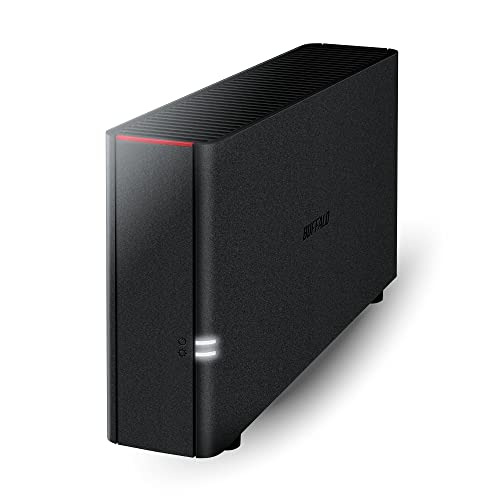
The BUFFALO LinkStation 210 is a 4TB NAS device designed for centralized storage and backup across multiple devices. It connects to a router to provide shared network storage, supporting Windows and macOS clients. The device emphasizes a subscription-free personal cloud experience with local control of media, documents, and backups. Buffalo’s support is available to assist with installation and setup, making it suitable for home offices and small networks.
Important considerations include device performance under simultaneous access, NAS drive longevity, and whether you need RAID features or cloud access through a separate service. While not a pocket portable, the LinkStation 210 offers robust networked storage for Macs and other devices, with straightforward file sharing and backup workflows across the home network.
SSK 1TB Portable External SSD With Wi‑Fi
The SSK 1TB Portable External SSD with Wi‑Fi combines fast NVMe-like performance in a compact form factor with wireless access. It supports high-speed wireless transmission up to 300Mbps and offers remote access via a dedicated app. The device provides one-click backups and flexible sharing for multiple users, with private and public storage areas to safeguard sensitive data. Its SSD technology helps with faster backups and quicker file transfers compared to traditional HDDs.
Mac users should verify compatibility for network mounting and any required software. Given its portability and speed, this model suits photographers, videographers, and mobile professionals who need reliable wireless backups on the go and easy access to media stores without a local network connection.
Buying Guide: Key Considerations For Wireless Mac Backup Drives
- Compatibility: Confirm Time Machine compatibility, macOS support, and whether the device shows up as a network drive in Finder or requires a companion app.
- Network Type: Distinguish between wireless hotspot drives, NAS devices connected to a router, and cloud-enabled personal clouds. Choose based on need for direct device-to-device access vs. centralized network storage.
- Storage Type and Speed: HDDs offer larger capacities at lower cost; SSDs deliver faster backups and better performance. Consider transfer speeds (USB vs. wireless), read/write rates, and durability.
- Security: Look for encryption, private/public data segregation, and remote access safeguards. P2P transmission options and user permission controls improve privacy.
- Ease of Use: Simple setup, reliable apps, and intuitive media sharing workflows matter for non-technical users. Check for multi-device synchronization and automatic backup features.
- Portability vs. Capacity: Balance the need for travel-friendly devices against the required storage size. Portable drives excel on the go, while NAS units fit home or small-office use.
- Future-proofing: Consider devices with ongoing firmware updates, broad device compatibility (Windows, macOS, iOS, Android), and scalable storage options.