Creating custom vinyl stickers at home or for your small business requires the right printer or printable vinyl sticker paper to achieve vivid colors, durability, and easy application. Below is a summarized comparison of top-rated vinyl sticker printing solutions, including all-in-one printers and high-quality printable vinyl sheets compatible with inkjet and laser printers.
| Product | Type | Quantity/Sheets | Finish | Printer Compatibility | Water-Resistant | Key Feature |
|---|---|---|---|---|---|---|
| Liene PixCut S1 Color Sticker Printer & Cutting Machine | All-in-One Printer & Cutter | N/A | Glossy/Photo Quality | Thermal Dye-Sublimation | Yes | AI Auto-Cutting and Bluetooth app control |
| JOYEZA Premium Printable Vinyl Sticker Paper | Printable Vinyl Sheets | 25 Sheets | Matte White | Inkjet & Laser | Yes (with sealer) | Quick drying and tear resistant |
| AgoDeo Printable Vinyl Sticker Paper | Printable Vinyl Sheets | 34 Sheets | Matte White | Inkjet | Yes (with sealer) | Tear and scratch resistant with strong adhesion |
| SMALL SMILE Printable Vinyl Sticker Paper | Printable Vinyl Sheets | 20 Sheets | Matte White | Inkjet & Laser | Yes | Fast drying with great cut compatibility |
| KOALA Printable Vinyl Sticker Paper | Printable Vinyl Sheets | 20 Sheets | Glossy White | Inkjet (Dye Ink only) | Water-resistant | Glossy finish with vibrant color pop |
Liene PixCut S1 Color Sticker Printer & Cutting Machine

The Liene PixCut S1 offers an all-in-one sticker making solution by combining high-resolution photo printing and precise die-cutting in a single device. Its thermal dye-sublimation technology delivers vivid true-to-life colors at 300 DPI with 16.7 million color capabilities. The device connects via Bluetooth and can be controlled with a user-friendly app, allowing printing and cutting in just 2 minutes. It features AI image extraction to automatically recognize and convert any photo into a custom sticker, boosting creative possibilities. Ideal for crafters seeking efficiency and professional-quality sticker output.
JOYEZA Premium Printable Vinyl Sticker Paper for Inkjet Printer – Matte White

JOYEZA’s Matte Printable Vinyl Sticker Paper includes 25 sheets designed for inkjet and laser printers. It offers water-resistant, tear-resistant qualities perfect for indoor and outdoor labels, vinyl lettering, and custom decals. The sheets hold ink well and dry quickly, enabling smooth cutting by hand or with die-cutter machines like Cricut. The thick matte finish offers durability and ease of application with a unique backing layer that simplifies peeling. For enhanced waterproofness, a UV resistant sealer spray is recommended after printing.
AgoDeo Premium Printable Vinyl Sticker Paper – Matte White
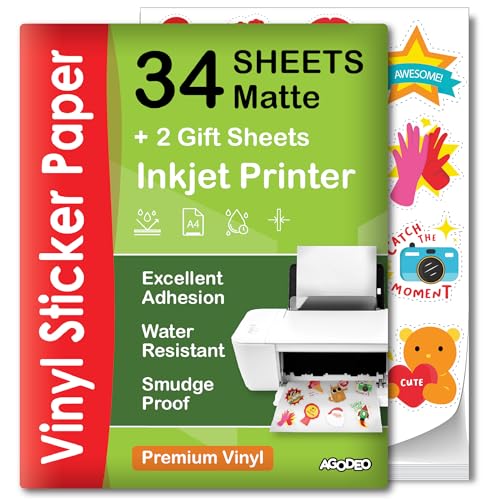
AgoDeo’s pack of 34 matte white sheets is fully compatible with inkjet printers and cutting machines like Cricut. This vinyl sticker paper features water resistance, tear resistance, and strong adhesive properties making it suitable for weatherproof outdoor and indoor types of sticker projects. Each sheet measures 8.5″ x 11″ with 100 microns thickness to ensure durability. Using a UV sealer spray can further boost longevity and water resistance of printed stickers.
SMALL SMILE Premium Printable Vinyl Sticker Paper

SMALL SMILE offers 20 sheets of glossy white vinyl sticker paper compatible with both inkjet and laser printers. It produces bright and premium color prints that dry quickly to avoid smudging. The standard 8.5″ x 11″ sheets are suitable for cutting with scissors or machines like Silhouette. This vinyl paper is waterproof and water-resistant, and its durability can be increased by adding laminate or UV sealer sprays. Perfect for both hobbyists and professional label makers.
Koala Printable Vinyl Sticker Paper – Glossy White
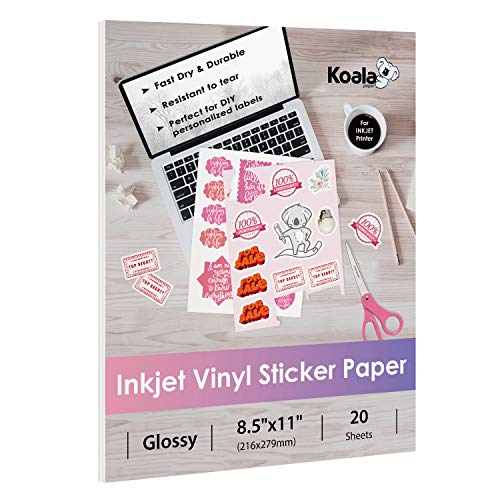
Koala’s vinyl sticker paper offers a vibrant glossy finish that enhances colors with exceptional vibrancy and clarity. It is water-resistant and tear-resistant, designed for inkjet printers using dye ink only (not compatible with pigment inks). The 8.5″ x 11″ sheets are easy to handle and ideal for making professional stickers, labels, and decals. Note that Koala provides customer support and refund options if your printer model is incompatible.
Buying Guide for Vinyl Sticker Printers and Printable Vinyl Papers
Printer vs. Printable Vinyl Paper
If you already have an inkjet or laser printer, investing in high-quality printable vinyl sticker paper is cost-effective and flexible for various projects. However, if you want an all-in-one solution with professional cutting capabilities and vibrant photo-quality printing, a dedicated vinyl sticker printer with cutting features like the Liene PixCut S1 might be the best choice.
Printer Compatibility and Ink Types
Check your printer compatibility with the vinyl sticker sheets. Most vinyl papers support inkjet printers, but some work with laser printers as well. Understand that some papers require dye-based inks (not pigment) for the best results, especially with glossy finishes. Using incompatible ink types may lead to smearing or poor drying.
Finish and Durability
Vinyl sticker papers come in matte or glossy finishes. Matte provides a subtle look with easy readability, while glossy offers vibrant, eye-catching colors. Both can be water-resistant but applying a UV resistant sealer or laminate sheet post-printing significantly boosts waterproofness and durability for outdoor use.
Sheet Thickness and Cutting Ease
Thicker vinyl sheets enhance durability but may require sharper blades or specific cutting machines like Cricut or Silhouette for clean cuts. Some products feature a special backing layer that eases peel and application.
Quantity and Size
Standard sheet size is 8.5″ x 11″, fitting most printers. Consider pack size depending on your volume needs. Larger sheet packs reduce the cost per sticker and ensure you have enough material for bulk projects.
Additional Features
Look for added perks such as tear resistance, scratch resistance, quick-drying ink absorption, and specialized features like AI image extraction and app-compatible printing with all-in-one printers to streamline your creative workflow.