Finding a mouse pad that balances glide, control, and durability can elevate daily computing, gaming, and creative work. The following five products are among the top-rated options, chosen for their surface quality, edge durability, and grip. Each entry highlights core features to help you compare at a glance and decide which pad best fits your setup.
| Product | Brand | Key Benefit |
|---|---|---|
| Logitech Studio Series | Logitech | Smooth glide with spill resistance |
| MROCO Large | MROCO | Anti-fray edges and textured surface |
| Logitech G440 | Logitech G | Hard surface for fast tracking |
| 3M Precise | 3M | Optical precision with non-skid backing |
| MROCO Gel Wrist Rest | MROCO | Ergonomic comfort with gel wrist support |
Logitech Mouse Pad Studio Series
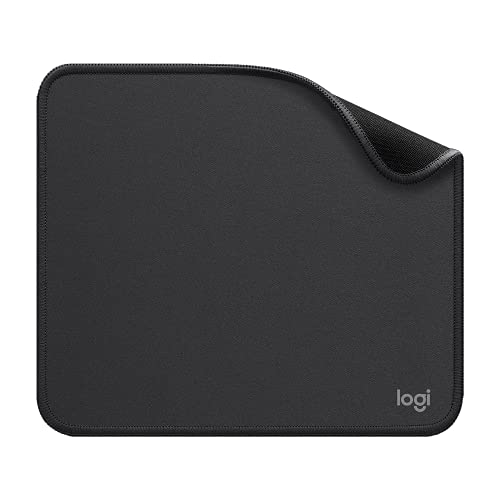
The Studio Series combines a smooth cloth surface with an anti-slip rubber base for stable tracking on various desk environments. The fine weave ensures easy, silent gliding, ideal for office tasks and home use. A spill-repellent coating helps protect the pad from liquids, making it simple to wipe clean. Precision stitching along the edges prevents fraying, extending durability and maintaining a flat, even surface over time.
MROCO Mouse Pad [30% Larger] With Anti-Fray Edges

Designed in a classic black, this 8.5” x 11” pad offers a balanced speed-control mix on a 3mm surface. Its moderate friction is optimized for multiple mouse types, including wired, wireless, optical, and mechanical devices. The pad features reinforced stitched edges to resist fraying and surface peeling, helping it withstand daily wear and maintain accurate cursor movement across routines like office work and gaming sessions.
Logitech G440 Hard Gaming Mouse Pad

This hard gaming pad uses a low-friction surface that provides the right resistance for quick starts and stops, supporting high-speed mouse movements at low DPI. The texture is tuned to deliver consistent sensor translation, helping gamers maximize precision during intense sequences. Its design targets optimal sensor accuracy and stability, making it a solid choice for competitive play and rapid navigation across the screen.
3M Precise Mouse Pad
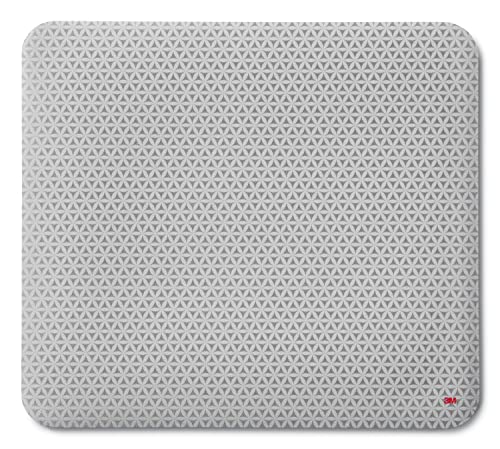
Optimized to enhance optical mice at fast speeds, this foam pad features a non-skid backing to stay in place during intense work or play. Its precise surface supports rapid movements while maintaining reliable tracking, making it a practical option for users who need dependable control without distraction.
MROCO Ergonomic Gel Wrist Rest

This ergonomic pad includes a gel-filled wrist rest encased in Lycra fabric to deliver comfortable, non-sticky support. A smooth surface promotes precise cursor control, compatible with wired, wireless, optical, and mechanical mice. The base features a non-slip PU material to secure stability during long sessions of work or gaming, reducing wrist strain and movement interruptions.
Buying Guide: Key Purchase Considerations and Comparisons
- Surface material and glide: Cloth surfaces offer quiet, smooth movement with slightly slower tracking, while hard surfaces deliver quick, precise movements with higher friction. Choose based on your main activities (office work, gaming, design).
- Durability and edges: Anti-fray stitched edges reduce wear and extend lifespan. Consider pads with reinforced borders if you expect heavy daily use or long sessions.
- Grip and stability: A non-slip rubber or PU base helps prevent sliding on busy desktops, important for rapid movements or multi-monitor setups.
- Wrist support: Ergonomic pads with gel or memory foam can reduce wrist strain during extended use. Check for fabric texture that remains smooth against the skin and is easy to clean.
- Maintenance: Spill resistance or easy-clean coatings simplify cleaning. Consider pads that resist staining from beverages or cosmetics in shared workspaces.
- Size and compatibility: Ensure the pad fits your desk and accommodates your mouse range. Larger pads are beneficial for wide arm movement, while smaller pads save desk space.
- Sensor compatibility: Some surfaces are optimized for specific sensor types (optical, laser, or gaming sensors). If you play rapid-action games, prioritize pads designed for high sensor accuracy.