The right stencil printer can speed up a tattoo artist’s workflow by delivering accurate, inkless transfers directly to skin. This guide highlights five practical options, focusing on portability, battery life, Bluetooth or USB connectivity, and compatibility with Android, iOS, Windows, and macOS. Each pick leverages thermal, inkless technology to reduce cost and mess while improving stencil precision for beginners and seasoned artists alike. Explore feature sets, use cases, and a buyer’s guide to choose the best stencil printer for your studio.
| Product | Brand | Key Benefit | Connectivity | Notes |
|---|---|---|---|---|
| Tattoo Stencil Printer for Beginners & Artists | yanxio | Ultra-portable, inkless stencil printing | Bluetooth, USB | Built-in battery |
| MUNBYN Tattoo Stencil Printer ITP05 | MUNBYN | Lightweight with app-based print flow | Wireless | Includes 20 transfer papers |
| Rongta Tattoo Stencil Printer F81S | Rongta | Compact, easy connect via Bluetooth | Bluetooth | Includes 5 transfer papers |
| Phomemo TP31 Mini Tattoo Stencil Printer | Phomemo | High portability, long battery life | Bluetooth | 30 transfer papers included |
| Renicoxio Tattoo Stencil Printer | Renicoxio | Inkless, lightweight with app control | Android, iOS | 10 thermal papers |
Tattoo Stencil Printer for Beginners & Artists — yanxio

The Yanxio stencil printer uses a compact, inkless thermal printing method to deliver clean stencil lines without ink cartridges. Weighing about 1 pound, its slim 10.3 x 2.1 x 1.7 inch body makes it ideal for mobile artists and small studios. It connects via Bluetooth to mobile devices and also supports USB for PC use. A built-in battery offers portable operation, with a stated standby time and page count suitable for on-the-go sessions. This device targets beginners and pros seeking an ultra-portable stencil solution.
MUNBYN Tattoo Stencil Printer ITP05

The MUNBYN ITP05 emphasizes portability with a 2600mAh battery and a weight around 1.1 pounds. Its app-based workflow lets you transfer designs directly from a tablet or smartphone, supporting batch printing and a ready-made stencil library for beginners. The thermal printhead delivers high-contrast lines, and the device avoids ink cartridges entirely. Ideal for busy studios or mobile artists who want a modern digital-to-stencil solution.
Rongta Tattoo Stencil Printer F81S
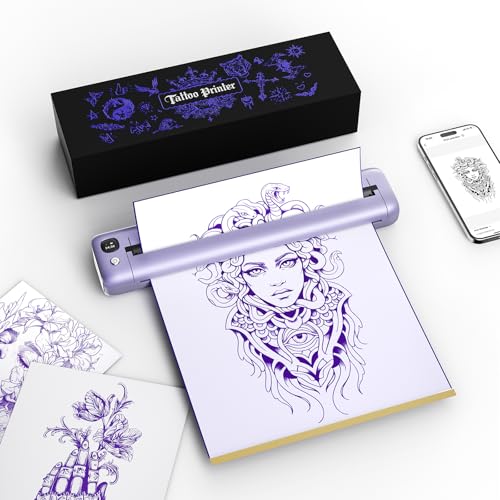
The Rongta F81S offers a compact, wireless experience with a focus on ease of use. It leverages thermal technology to produce crisp stencil lines and supports printing from phones, tablets, and PCs via Bluetooth. While it includes a limited set of transfer papers, its straightforward setup is suitable for artists who want a reliable, no-fuss stencil printer without complex features.
Phomemo TP31 Mini Tattoo Stencil Printer
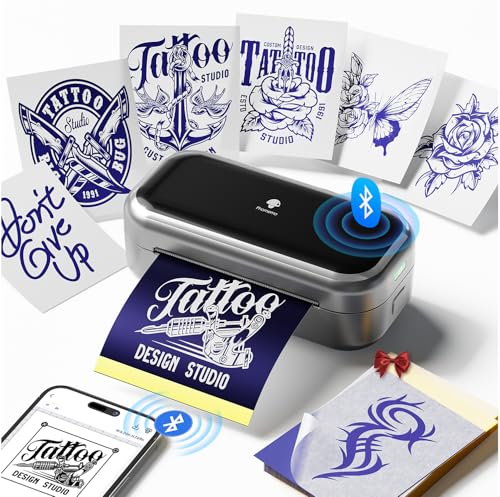
The Phomemo TP31 emphasizes portability with a one-pound body and a 2200mAh battery, capable of printing roughly 330 sheets per charge. It uses advanced thermal printing technology to deliver precise lines and minimal jams. This model is well-suited for beginners and professionals who require a lightweight, travel-friendly stencil printer with a robust design and ready-to-use transfer paper bundle.
Renicoxio Tattoo Stencil Printer

The Renicoxio model focuses on a balance between portability and app-assisted control. It weighs around 1 pound and uses premium thermal printhead technology to deliver faster, sharper results. The device pairs with Android and iOS apps, enabling quick connection, stencil editing, and easy one-button printing for beginners while offering advanced settings for professionals. It includes 10 thermal papers to get started immediately.
Buying Guide
Key considerations help determine the best stencil printer for your practice and workflow:
- Inkless technology quality: Thermal printing reduces mess and maintenance, but check resolution (DPI) and line clarity for fine tattoo details.
- Portability and battery life: For mobile artists, a light device with long battery life means fewer trips to outlets and more time drawing stencils.
- Connectivity: Bluetooth is convenient for mobile devices; USB or PC compatibility is important for studio setups and larger design files.
- Paper and transfer options: Ensure the supplied transfer papers meet your preferred stencil size, plus compatibility with additional papers for larger designs.
- App integration: A robust companion app can speed up workflows with features like design libraries, batch printing, and image editing tools.
- Ease of use vs. advanced features: Beginners may prefer simple one-button printing, while seasoned artists might benefit from adjustable line weight, contrast, and template libraries.
- Maintenance and reliability: Look for devices with durable build quality, easily sourced replacement parts, and clear troubleshooting resources.
In practice, choose a model that balances weight, battery life, and software support for your typical session length and travel requirements. For studios and clients who value speed, a device with rapid print head performance and a well-supported mobile app can streamline stencil design and transfer times. If you frequently switch between design concepts, a stencil printer with a library of ready-made templates and easy edit tools helps maintain consistent line work.
Each model in this guide serves a distinct need—from ultra-portable on-the-go stencil printing to feature-rich app-enabled workflows. Evaluate how often you tattoo away from the shop, your preferred design workflow, and which devices you plan to print from when making a final choice.