Choosing the best MicroSD card for Raspberry Pi is essential to ensure smooth operation, quick boot times, and reliable storage for your projects. Whether you are just starting out or upgrading your existing setup, this guide covers top preloaded and blank MicroSD cards optimized for various Raspberry Pi models. The following table summarizes key features of the selected MicroSD cards designed for Raspberry Pi usage.
| Product | Capacity | Preloaded OS | Speed Class | Compatibility |
|---|---|---|---|---|
| Raspberry Pi 32GB Preloaded (Noobs) SD Card | 32GB | NOOBS OS | Standard | All Raspberry Pi models |
| Beamo 64GB Preloaded Raspberry Pi OS MicroSD Card | 64GB | 64-bit Raspberry Pi OS | U3 Class 10 | Pi Series 5, 500, 400, 4B, 3B+ |
| STEADYGAMER 64GB Preloaded Raspberry Pi OS SD Card | 64GB | Latest Raspberry Pi OS Desktop | Ultra Class 10 | All Pi models |
| STEADYGAMER 32GB Preloaded Raspberry Pi OS SD Card | 32GB | Raspberry Pi OS | Ultra Class 10 | All Pi models |
| SanDisk Ultra 32GB MicroSDXC Memory Card (No OS) | 32GB | None (Blank) | UHS-I Class 10 | Pi 3 Model B, Pi 2, Zero |
Official Raspberry Pi 32GB Preloaded (Noobs) SD Card
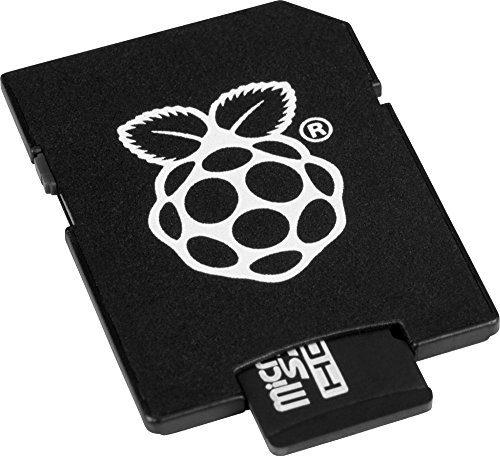
This official 32GB MicroSD card by Raspberry Pi comes with a full-size adapter and is fully qualified by the Raspberry Pi Foundation to guarantee optimum performance. It includes the NOOBS operating system preloaded, allowing new users to start their Raspberry Pi experience without additional setup. Highly compatible across all Raspberry Pi models, this card is an excellent choice for beginners and educators.
Beamo 64GB Preloaded Raspberry Pi OS MicroSD Card U3 Class 10

The Beamo 64GB MicroSD card is equipped with a fully optimized 64-bit Raspberry Pi OS preinstalled, eliminating the need for installation and simplifying setup. It supports an extensive range of Raspberry Pi models including Series 5, 500, 400, 4B, 3B+, and more. Featuring a U3 Class 10 speed rating, this card offers fast read and write speeds, ideal for multimedia projects, coding, and other resource-intensive applications.
STEADYGAMER 64GB Raspberry Pi Preloaded SD Card with OS
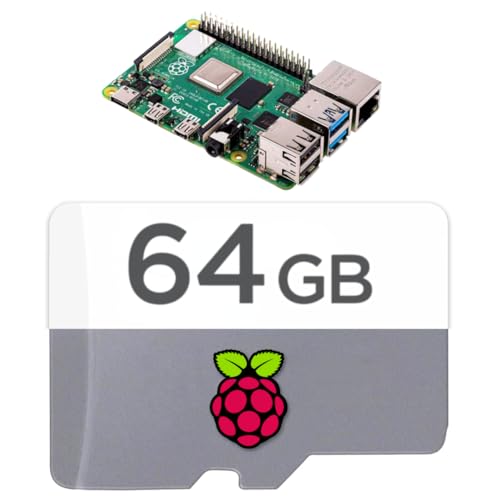
This 64GB Class 10 microSD card comes preloaded with the latest Raspberry Pi OS desktop version. Compatible with all Raspberry Pi models, including the Pi 5 and earlier iterations, it enables a fully-fledged desktop experience. The card is suitable for users looking for reliability and good transfer speeds in a ready-to-use package.
STEADYGAMER 32GB Raspberry Pi Preloaded SD Card with OS

This 32GB Ultra Class 10 microSD card from STEADYGAMER is preloaded with Raspberry Pi OS and fully compatible with all Raspberry Pi models. It delivers smooth desktop performance and is ideal for general Raspberry Pi projects that require moderate storage and reliable speed.
SanDisk Ultra 32GB MicroSDXC Memory Card for Raspberry Pi

The SanDisk Ultra 32GB MicroSD card offers UHS-I Class 10 performance and works well with Raspberry Pi 3 Model B, Pi 2, and Zero. Unlike preloaded cards, it comes blank, providing flexibility for users to install custom OS versions or multiple setups. SanDisk’s reputation for secure and reliable removable storage makes this a trusted option for DIY enthusiasts.
Buying Guide for MicroSD Cards for Raspberry Pi
When selecting the best MicroSD card for Raspberry Pi, keep the following factors in mind to match your project requirements and ensure optimal performance:
Storage Capacity
Raspberry Pi projects often require varying storage amounts. For basic projects, 16GB to 32GB cards suffice. For multimedia, retro gaming, or complex applications, consider 64GB or higher capacity to store larger files and multiple operating systems.
Preloaded vs. Blank Cards
Preloaded cards come with Raspberry Pi OS or other systems installed, ideal for users who want immediate setup. Blank cards offer installation flexibility, suitable for advanced users wanting customized OS images or multi-boot configurations.
Speed Class and Performance
Speed classes like Class 10, U1, and U3 indicate the minimum write speeds. U3 cards deliver faster write speeds and are recommended for smooth operation, especially for video streaming, gaming emulation, or large file transfers. Ultra Class 10 is usually sufficient for most tasks.
Compatibility
Ensure the MicroSD card supports your specific Raspberry Pi model. While most cards work across models, some preloaded cards are optimized for newer boards like Raspberry Pi 4, 5, or the Compute Module series.
Brand Reliability and Warranty
Opt for reputable brands like SanDisk, Samsung, or official Raspberry Pi products to ensure data integrity and durability. Look for cards backed by warranties and positive customer support.
Adapter Inclusion
If you need to transfer data using a laptop or desktop, consider cards that come with a full-size SD adapter for easy compatibility with card readers.
Use Case Considerations
- Retro Gaming: Cards preloaded with emulators (e.g., RetroPie) simplify gaming setups.
- Development & Coding: Faster U3 cards reduce latency during file operations.
- Media Centers: Higher capacity and fast write speeds help with video caching and playback.