Finding a laptop that keeps up with FL Studio and music production tasks means prioritizing CPU power, RAM, storage speed, and display quality. The following selections balance processing performance, memory capacity, and comfortable workflow for composers, producers, and sound designers using FL Studio on Windows. Each option is chosen to handle multi-track projects, real-time effects, and long mixing sessions with minimal latency.
| Product | Brand | CPU / RAM / Storage | Display | Why It’s a Fit |
|---|---|---|---|---|
| Microsoft Surface Laptop (2025) | Microsoft | Snapdragon X Plus, 16GB RAM, 512GB SSD | 13.8″ touchscreen | High RAM and fast storage with Copilot+ AI features for efficient DAW use. |
| Microsoft Surface Laptop Studio 2 | Microsoft | Intel Core i7 13th Gen, 16GB LPDDR5X, 512GB SSD | 14.4″ 2400×1600 | 2-in-1 versatility and strong overall performance for plugins and tracks. |
| NAIKLULU Gaming Laptop | NAIKLULU | Ryzen 5 7430U, 32GB RAM, 1TB SSD | 15.6″ FHD | Excellent multitasking headroom and media editing capability. |
| HP Portable Laptop | HP | Intel Celeron N4120, 16GB RAM, 64GB eMMC | 14″ HD | Balanced RAM for simple sessions; portable and affordable. |
| Lenovo Ideapad Slim 3 | Lenovo | Ryzen 5 5625U, 16GB RAM, 512GB SSD | 15.6″ FHD | Efficient processor and solid memory for FL Studio projects. |
Note: The selections emphasize Windows-based laptops with ample RAM and fast storage, suitable for project-heavy music production, VSTs, and real-time effects. External audio interfaces and proper drivers are essential for best performance.
Microsoft Surface Laptop (2025) Overview

The Surface Laptop (2025) combines a slim profile with robust performance suitable for FL Studio users who value portability. Equipped with Copilot+ PC features for AI-assisted workflows, it emphasizes secure, productive operation. The 16GB RAM and 512GB SSD help manage large sample libraries and multiple plugin instances with responsive access. The 13.8-inch touchscreen offers comfortable editing and quick DAW navigation, while the thin form factor supports mobile sessions.
Microsoft Surface Laptop Studio 2

The Surface Laptop Studio 2 is a capable choice for FL Studio with its 14.4-inch high-resolution display and 16GB RAM. The 512GB SSD ensures fast project loading and sample library access. Its convertible design supports flexible setups, whether you’re composing on a desk or moving to a studio setup, and the Intel Core i7 13th Gen delivers solid performance for the DAW and virtual instruments.
NAIKLULU Gaming Laptop

The NAIKLULU Gaming Laptop offers strong multitasking capabilities with a Ryzen 5 7430U processor, 32GB RAM, and a 1TB SSD. This configuration is well-suited for FL Studio, particularly when juggling multiple tracks, effects, and virtual instruments. The 15.6-inch FHD display supports clear visual editing, while the overall system sustains smooth performance during long mixing sessions and rendering tasks.
HP Portable Laptop

The HP Portable Laptop focuses on delivering essential performance with 16GB RAM and a 14-inch display. While it uses the mid-range Celeron processor, the ample RAM helps with basic FL Studio projects and general productivity, plus the 64GB eMMC storage offers quick boot times and responsive file operations for lighter workflows.
Lenovo Ideapad Slim 3
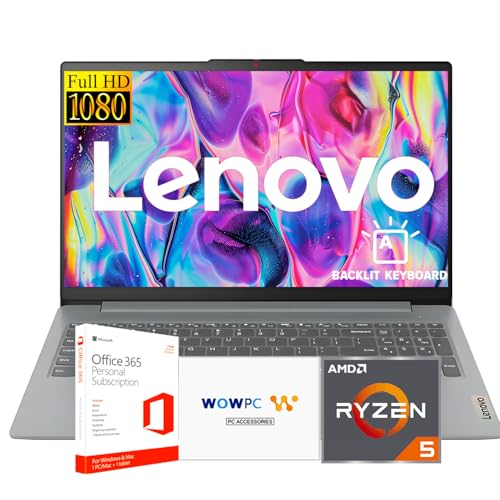
The Lenovo Ideapad Slim 3 combines a Ryzen 5 5625U with 16GB RAM and a 512GB SSD, offering solid multitasking performance for FL Studio. The 15.6″ Full HD display provides ample workspace for arranging tracks and plugins, while Windows 11 Pro edition is beneficial for IT management in professional setups. It delivers a balance of power, connectivity, and efficiency for music production tasks.
Buying Guide: Key Purchase Considerations For FL Studio
- CPU Power and Core Count: FL Studio benefits from modern multi-core CPUs. Look for at least a mid-range Ryzen 5 or Intel Core i5/i7 with multi-core performance for smoother playback and rendering, especially with multiple plugins.
- Memory (RAM): Aim for 16GB or more for large projects with many VSTs. 32GB is ideal for heavy template-based setups or sample-heavy work.
- Storage Speed and Capacity: An SSD (NVMe preferred) reduces project load times and sample library access. 512GB or 1TB is a good target; consider external storage for large libraries.
- Display Quality: A clear, color-accurate display helps during mixing and arrangement. A higher resolution and decent brightness improve long editing sessions.
- Portability vs. Performance: If you travel or perform live, prioritize lighter models with good battery life without sacrificing core performance. For fixed studio setups, a larger display and more power may be preferable.
- Connectivity: Sufficient USB ports, audio interface compatibility, and reliable Wi-Fi are essential. Ensure drivers are up to date for your audio interface.
- Thermals and Noise: Efficient cooling minimizes thermal throttling during long sessions. Look for laptops with solid cooling designs and quiet fans under load.
- Upgradeability and Longevity: Some laptops allow RAM or storage upgrades. This can extend the life of your machine as your projects grow.
- Operating System and Driver Support: Windows 11/10 compatibility with your DAW and plugins is crucial for stability and updates.