Choosing a GPU that harmonizes with an Intel 13th‑gen i7 processor can unlock gaming, streaming, and creative workflows at high settings. This guide highlights five Amazon-listed products that pair well with a 13th‑gen i7, spanning CPUs and compatible hardware to help you build or upgrade a balanced system. Each pick emphasizes strong multitasking, fast cores, and reliable performance for a range of uses from 4K gaming to content creation.
| Product | Brand | Key Benefit |
|---|---|---|
| Intel Core i7-13700K Desktop Processor | Intel | High core count with strong turbo performance |
| Intel Core i7-14700KF Desktop Processor | Intel | More efficiency cores and higher turbo for gaming |
| MSI Thin 15 Laptop with RTX 4050 | MSI | Portable gaming with a capable GPU and 13th‑gen CPU |
| ASUS TUF Gaming Z790-Plus WiFi Motherboard | ASUS | Robust power delivery for 13th/14th gen CPUs |
| Intel Core i7-13700KF Desktop Processor | Intel | Unlocked performance with strong multitasking |
Intel Core i7-13700K: 16 Cores, Unlocked

13th‑gen Intel Core processors deliver a design geared toward beyond real‑world performance. The i7-13700K provides 16 cores (8 performance and 8 efficiency) and 24 threads with turbo speeds up to 5.4 GHz in unlocked form. A 30 MB cache supports responsive multitasking and faster creating, making it suitable for gaming, streaming, and productivity on a high‑end desktop platform. Integrated graphics offer baseline visuals, while system builders often pair this processor with discrete GPUs for superior gaming frames and accelerated workloads.
Intel Core i7-14700KF: 20 Cores, Unlocked

With 20 cores (8 P‑cores and 12 E‑cores) and 28 threads, the i7‑14700KF targets high‑end gaming and heavy workloads. It supports Turbo Boost Max Technology 3.0 for up to 5.6 GHz, delivering fluid gameplay and rapid responsiveness when paired with discrete graphics. This processor is suited for users who demand peak performance in modern titles and content creation workflows that leverage multiple cores and threads.
MSI Thin 15 Laptop: i7‑13620H, RTX 4050

The MSI Thin 15 pairs a 13th‑gen Intel Core i7‑13620H with an RTX 4050 GPU, delivering a balanced mix of portable performance and capable gaming visuals. The laptop emphasizes a coherent design for everyday productivity, multitasking, and modern games at respectable frame rates. With Windows 11 Home preinstalled and Wi‑Fi 6E compatibility, it’s positioned as a mobile solution for creators, students, and casual gamers who need mobility without sacrificing too much performance.
ASUS TUF Gaming Z790-Plus WiFi: LGA 1700 ATX
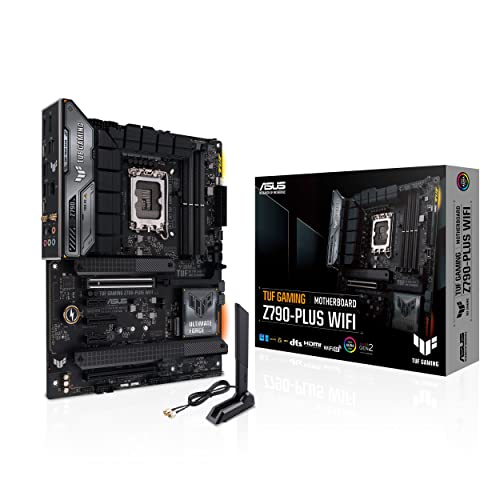
This motherboard supports 12th, 13th, and 14th‑gen Intel Core processors on an LGA 1700 socket, with PCIe 5.0, DDR5 memory, and comprehensive cooling and durability features. It includes 16+1 DrMOS power stages, ProCool power connectors, and military‑grade components as part of its rugged design. The board is aimed at enthusiasts who want reliable overclocking headroom, a robust feature set, and connectivity options including Wi‑Fi 6 and Thunderbolt 4 support for modern builds.
Intel Core i7-13700KF: 16 Cores, Unlocked

The i7‑13700KF mirrors the 13700K’s core setup with 16 cores and 24 threads, but with an unlocked multiplier that supports higher overclocking potential for users seeking extra headroom. It carries a maximum turbo frequency up to 5.4 GHz and a sizable 30 MB cache. This model emphasizes performance for gaming and demanding tasks where customization and tuning can yield noticeable gains, especially when paired with a capable cooling solution and a strong GPU.
Intel Core i7-14700F: 20 Cores, 5.4 GHz
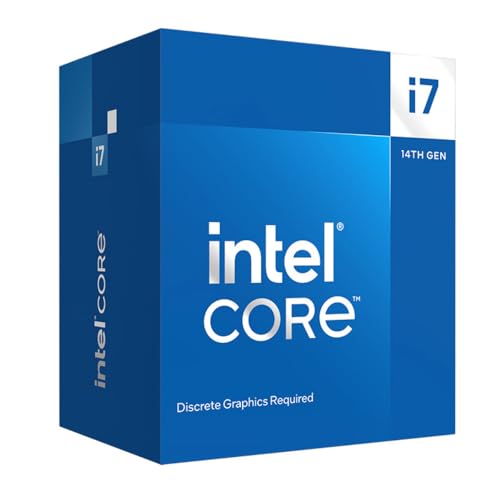
The i7‑14700F offers 20 cores (8 P‑cores + 12 E‑cores) and 28 threads, with a turbo frequency up to 5.4 GHz and a large cache. It emphasizes multi‑threaded performance for modern games and heavy productivity workloads, aligning with high‑end GPUs to deliver smooth frame rates and fast content creation workflows in a desktop environment where the GPU can carry gaming and acceleration tasks.
Intel Core i7-12700K: 12 Cores, Integrated Graphics

The 12700K is a predecessor‑level higher‑end model featuring an unlocked multiplier and a hybrid core design, combining performance and efficiency cores for gaming and multitasking. Integrated Intel UHD 770 graphics provide baseline visuals, while compatibility with 600 and 700 series chipsets frames it as a versatile option for users exploring a balanced build that can be upgraded with a discrete GPU for advanced gaming or rendering tasks.
Buying Guide
When choosing a GPU‑friendly setup for an Intel i7 13th gen system, consider the following factors to optimize performance and value:
- Workload alignment: For gaming, prioritize GPUs with strong rasterization and ray tracing support, plus a CPU that maintains high clock speeds. For content creation and multitasking, ensure your CPU has enough cores to prevent bottlenecks, while the GPU accelerates rendering and effects.
- CPU–GPU balance: The i7 13th gen CPUs excel with mid to high‑end GPUs. Avoid pairing a top‑tier GPU with a low‑end CPU to prevent bottlenecks in CPU‑bound titles or tasks.
- Cooling and power: Higher‑end CPUs (and some high‑end GPUs) require robust cooling and a capable power supply. Ensure your motherboard, case airflow, and cooling solution support sustained workloads.
- Platform compatibility: For 12th–14th gen CPUs, verify motherboard chipsets, PCIe versions, and memory support (DDR4 vs DDR5). PCIe 5.0 readiness can future‑proof builds with newer GPUs and storage devices.
- Portability vs. performance: Laptops like the MSI Thin 15 offer mobility but typically trade some raw performance versus desktops. Choose based on whether portability or maximum frame rates matters more to you.
- Future upgrade path: Consider whether you want to upgrade the GPU or CPU separately in the future. A motherboard with PCIe 5.0 and ample DIMM slots can facilitate long‑term upgrades.
- Software and drivers: Ensure your chosen GPU and CPU have mature drivers and software ecosystems to optimize gaming, streaming, and creative apps.
- Budgeting strategy: A balanced build often delivers better value than chasing the absolute top components. Prioritize CPU cores and memory if you frequently multitask, and allocate a substantial portion of budget to the GPU for superior visuals and acceleration.
These considerations help in selecting a configuration that leverages the strengths of 13th‑gen Intel cores while offering headroom for future GPU upgrades, ensuring smooth gameplay, fast rendering, and reliable multitasking across a variety of uses.