Capturing high-quality gameplay has never been easier with modern game video recorders. This guide highlights top options that fit a range of needs—from simple local saves to broadcast-ready captures. Each product below offers distinct advantages, whether you want 1080P recordings, 4K input with smooth playback, or microphone support for commentary. Read on to compare features, compatibility, and storage options to choose the best game video recorder for your setup.
| Product | Key Benefit | Resolution Support | Storage |
|---|---|---|---|
| MYPIN 1080P HDMI Video Capture Card | Simple, USB-backed recording with mic-in for commentary | 1080P | USB drive up to 128GB, HDD up to 2TB |
| Flsazrx 4K HDMI to USB Capture Card | 4K input, 1080p output with low latency | 4K@30Hz input, 1080p@60Hz output | USB SSD/HDD; supports larger drives |
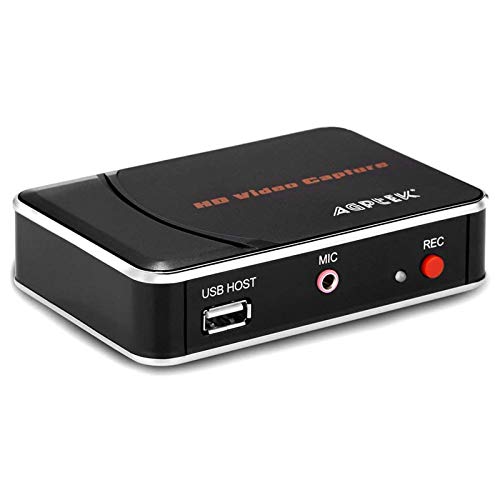
| AGPTEK HD Game Capture | HDMI & AV inputs, mic-in for commentary | 1080P | USB drive up to 128GB, 2TB HDD |
| VIXLW 4K HDMI Capture Card | 4K capable, loop-out and broad compatibility | 4K input, 1080P output | USB storage options |
| kimire Video Camera Camcorder | Versatile camera with webcam capability | 1080P | Internal storage options (depends on model) |
MYPIN 1080P HDMI Video Capture Card
The MYPIN capture card records gameplay at 1080P directly to a USB flash drive or external HDD. It supports USB 3.0 and USB 2.0 interfaces and can handle USB drives up to 128GB or HDDs up to 2TB with an MBR partition. A microphone input (3.5mm TRS) allows external commentary while gaming, though it does not record party chat. It is designed for offline recording rather than live streaming, making it a straightforward option for offline gameplay capture and sharing.
Flsazrx 4K HDMI to USB Capture Card

This capture card supports 4K input at 30Hz and outputs 1080p at 60Hz, offering a crisp capture path with minimal latency. Its USB 3.0 connection and aluminum body aid heat dissipation during extended sessions. It’s compatible with Windows, macOS, Linux, and—via standard streaming software—OBS and similar tools. The device is designed for real-time recording without compression delays and is suitable for screen capture, streaming, and teaching demonstrations where high-quality video is essential.
AGPTEK HD Game Capture
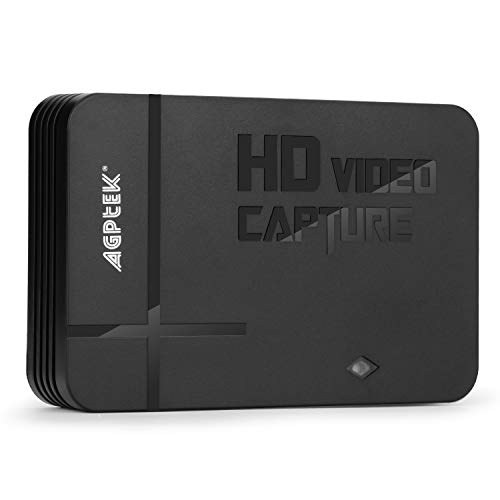
The AGPTEK capture card offers HDMI and AV inputs for flexible connections, recording 1080P video directly to USB drives or HDDs up to 2TB. It includes a microphone input for in-game commentary, though it does not record conversations. It supports USB 2.0 and 3.0 and works with FAT32/NTFS formats. This device is a solid option for users seeking a budget-friendly, straightforward capture solution for console and PC gaming alike.
VIXLW Video Capture Card

The VIXLW capture card emphasizes versatility and broad compatibility, including a 4K HDMI input with a 1080P output, and a loop-out feature that helps maintain a clean video workflow. It is designed for use with OSes like Windows, MacOS, Linux, and Android, and supports popular streaming and recording software. The 4K input makes it a forward-looking option for gamers who plan to upgrade to higher-resolution content in the future.
kimire Video Camera Camcorder
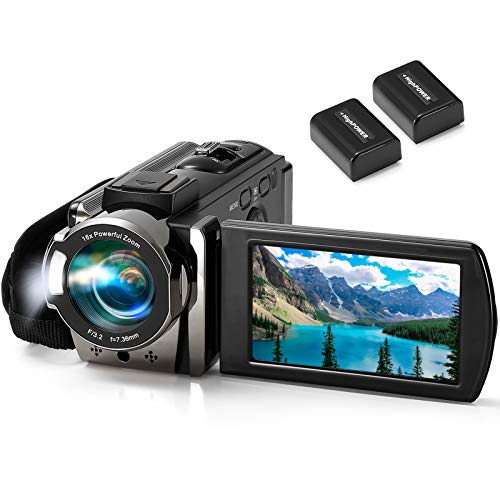
The kimire camcorder offers 1080P video recording with 15fps and 24MP image resolution, along with a 3.0″ LCD and 270-degree rotation. It includes features like a pause function and webcam capability via AMCAP, which can support streaming as a webcam after connecting to a computer. This option suits creators who want a versatile device for both traditional camcorder use and occasional live streaming or web conferencing.
Buying Guide: Key Purchase Considerations
- Resolution and frame rate: For console gameplay, prioritize capture cards that deliver at least 1080P 60Hz output for smooth, high-quality footage. Higher-end options offer 4K input with 1080P output for future-proofing.
- Input and output options: Ensure the device supports your consoles (HDMI for most modern systems) and check whether AV inputs are needed for older hardware. A loop-out feature can simplify multi-monitor setups.
- Storage and format: Local recording relies on USB drives or HDD/SSD storage. Look for FAT32/NTFS compatibility and supported max drive sizes. MP4 or similar codecs are common and broadly compatible with editors.
- Streaming vs. local recording: Some devices are optimized for offline recording only, while others integrate seamlessly with OBS, XSplit, or similar software for live streaming. Choose based on your workflow needs.
- Audio input: If you plan to add narration or commentary, confirm an available microphone input and its compatibility with your headset or mic gear. Note whether party chat audio is included or excluded.
- Compatibility and ease of use: Consider whether you need cross-platform support (Windows, macOS, Linux, Android) and whether the device is plug-and-play or requires additional drivers.
- Build quality and heat management: Aluminum bodies and well-ventilated designs help prevent thermal throttling during long recording sessions.
These considerations help determine which game video recorder aligns with your hardware, software, and production goals. Whether you’re focusing on offline captures for quick sharing or building a live-streaming setup, the right capture card makes a meaningful difference in video quality and workflow efficiency.