Choosing the best format for Mac external hard drives is essential for seamless compatibility, backup efficiency, and performance. This guide reviews top external hard drives from trusted brands, highlighting their features and ease of use with Macs. The included table summarizes the key attributes to help you quickly find a Mac-friendly drive that fits your storage requirements.
| Product | Capacity | Interface | Key Features |
|---|---|---|---|
| Seagate Portable 2TB External Hard Drive | 2TB | USB 3.0 | Plug and play, drag and drop backup, compatible with Mac & PC |
| WD Elements 2TB Portable External Hard Drive | 2TB | USB 3.2 Gen 1 | Compact design, plug and play, up to 6TB capacity option |
| WD My Passport Ultra 5TB for Mac | 5TB | USB-C, USB 3.1 | Password protection, AES 256-bit encryption, Mac-ready |
| WD My Passport 2TB for Mac | 2TB | USB 3.1, USB 3.0 | Slim durable, Mac-ready, backup software included |
| LaCie Rugged Mini 2TB External Hard Drive | 2TB | USB 3.0 / 2.0 | Shock, dust, and rain resistant, password protection, reformatting required for Mac |
Seagate Portable 2TB External Hard Drive

The Seagate Portable 2TB External Hard Drive offers easy storage and portability for Mac users and multiple other platforms including Windows, PlayStation, and Xbox. It uses USB 3.0 for fast data transfers and requires no additional software, enabling users to simply drag and drop files for backups or data management. This drive is automatically recognized by both Windows and macOS, though macOS users may want to ensure it is formatted correctly for compatibility (usually exFAT or HFS+).
WD 2TB Elements Portable External Hard Drive

This WD Elements drive is an excellent choice for Mac users looking for simple plug-and-play expandability. The device supports USB 3.2 Gen 1, providing efficient data transfers. Although primarily designed for Windows, it performs well with Mac when formatted to exFAT or Mac OS Extended (Journaled). Its compact design makes it easy for commuters or travelers needing up to 6TB capacity options, with guaranteed stable performance.
WD 5TB My Passport Ultra for Mac
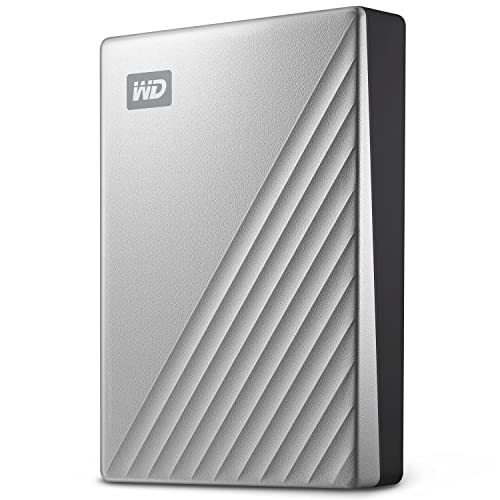
WD’s 5TB My Passport Ultra is tailored specifically for Mac users featuring USB-C and USB 3.1 compatibility. It includes password protection with 256-bit AES hardware encryption to protect sensitive data. The elegant metal cover adds durability and style. This drive is preformatted to Mac OS Extended (Journaled) for Apple users, making it perfect for business professionals or personal backups requiring high capacity and security.
WD 2TB My Passport for Mac, Navy

The WD 2TB My Passport for Mac is a slim, durable external drive designed exclusively for the Mac environment. It offers USB-C and USB 3.1 interface options for speedy data transfers and includes backup software with password protection capabilities. Out of the box, this device is Mac-ready, saving the hassle of reformatting. Its compact nature makes it ideal for those who prioritize portability.
LaCie Rugged Mini 2TB External Hard Drive
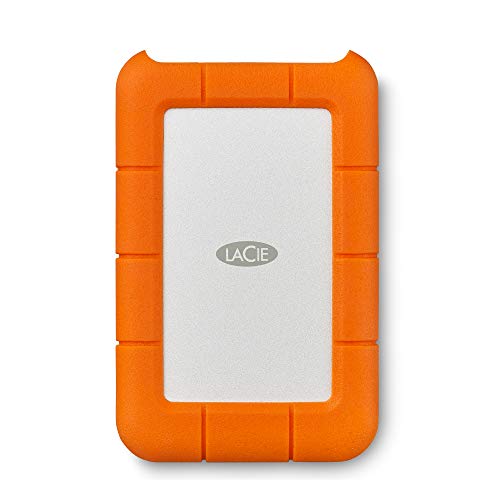
The LaCie Rugged Mini is perfect for users who need a drive resistant to drops, dust, and rain. Although designed to work with Mac and PC, it requires reformatting for Mac compatibility — typically to Mac OS Extended (Journaled) or APFS. This drive offers password protection and is favored for use in creative fields due to its durability and reliability outside controlled indoor environments.
Buying Guide: Choosing The Best Format and External Hard Drive for Mac
When selecting an external hard drive for Mac, several key factors influence compatibility and performance:
File System Format
- Mac OS Extended (HFS+): Ideal for older macOS versions; optimized for Time Machine backups.
- APFS (Apple File System): Best for macOS High Sierra and later; offers enhanced performance and encryption but limited external drive compatibility.
- exFAT: Versatile for use with both Mac and Windows without file size limitations; best for drives used with multiple operating systems.
- NTFS: Windows-native file system; read-only on Mac without third-party software, so generally not recommended unless using special drivers.
Connection Interface
- USB-C / Thunderbolt 3/4: Preferred for MacBook users; provides faster data transfer speeds and future-proofing.
- USB 3.0 / USB 3.2: Common and compatible with most Macs; sufficient for general backup and storage needs.
- Older interfaces (USB 2.0, FireWire): Slower and less common on modern Mac systems; avoid unless compatibility is guaranteed.
Capacity and Speed
- Choose capacity based on your storage needs: 1TB to 5TB is typical for personal use.
- SSD-based drives offer faster speeds, higher durability, and greater compactness but at a higher cost.
- Traditional HDD drives provide larger storage at a lower price but are less shock-resistant and slower.
Portability and Durability
- Consider ruggedized or shock-resistant models if you travel frequently or use the drive outside.
- Compact and lightweight designs are ideal for mobility.
Backup Software and Security
- Some drives come with proprietary backup software optimized for Mac.
- Password protection and hardware encryption (AES 256-bit) help secure sensitive data.
Considering these factors alongside your usage patterns will ensure that your Mac external hard drive is both compatible and optimized for your workflow.