The modern Chromebook often relies on cloud storage and streaming, but students and professionals still need reliable external optical drives for software installers, media backups, and legacy discs. This guide reviews five well-rounded external CD/DVD drives that work with Chromebooks when USB-C or USB 3.0 connectivity is available. Each option emphasizes plug-and-play setup, broad OS compatibility, and portable design to fit on the go use. Note that some drives may not function with all Chromebooks depending on ChromeOS updates or device-specific firmware. The quick comparison below highlights core specs to help you choose fast.
| Product | Brand | Compatibility | Key Feature |
|---|---|---|---|
| Amicool External DVD Drive | Amicool | Windows, macOS, Linux; USB-C/USB 3.0 | Dual interfaces for fast transfer |
| Rioddas External CD/DVD Drive | Rioddas | Windows, macOS, Linux; USB 3.0 | Eject button and copper mesh for stability |
| JKNJX External CD/DVD Drive | JKNJX | Windows, macOS, Linux; USB 3.0/Type-C | Broad compatibility with fast speeds |
| Alronly External CD/DVD Drive | Alronly | Windows, macOS, Linux; USB 3.0/Type-C | Strong error correction and low power |
| NOLYTH External CD Drive | NOLYTH | Windows, macOS, Linux; USB-C/USB 3.0 | Compact, portable, dual ports |
Amicool External DVD Drive
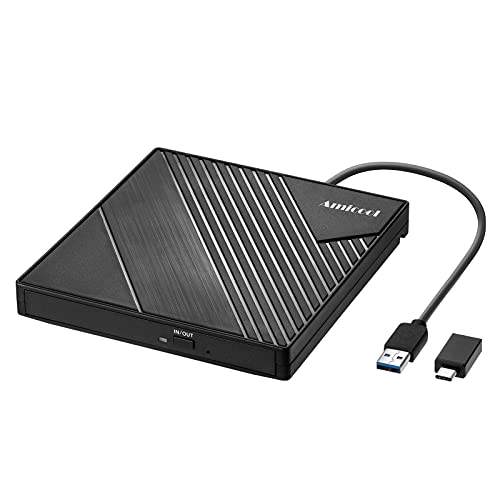
The Amicool external DVD drive offers both USB 3.0 and Type-C interfaces, delivering up to 5 Gbps data transfer. It is designed for easy plug-and-play use with Windows, macOS, Linux, and ChromeOS devices that support USB CD/DVD drives. Its compact form and rear-port power guidance help reduce power issues on desktops. It supports common discs including DVD+R, DVD-R, CD-R, and CD-RW, with read speeds up to 8x for DVDs and 24x for CDs. Note that DVD-RAM and Blu-ray discs are not supported. This drive is a practical option for Chromebooks that require an external optical solution for software installs and media playback.
Its setup is straightforward: connect directly to a USB port on the computer to ensure stable power and performance. The device is widely compatible but designed primarily for computers, not TVs or standalone Blu-ray players. If you need frequent transfers or a compact carry option for travel, this model balances portability with reliable performance.
Key considerations for Chromebook users: verify that your ChromeOS version recognizes USB drives and that media software you use supports the drive. Always use a direct USB connection rather than a hub when possible to minimize data interruptions during disc access.
Rioddas External CD/DVD Drive
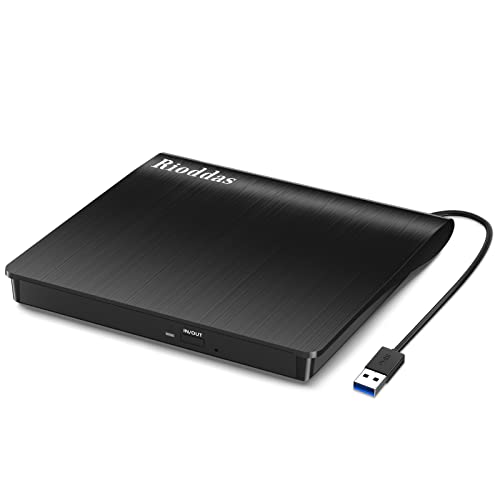
The Rioddas drive emphasizes plug-and-play operation with USB 3.0 and a robust USB back-port connection on desktops for stable power. It features a dedicated eject button and copper mesh technology aimed at stable data transmission during reads and writes. It supports USB 3.0 and is backward compatible with USB 2.0, delivering up to 5 Gbps transfers. The drive supports CD-R/RW and DVD formats, making it a versatile choice for Chromebooks that require an affordable external option for installation discs or media backups. It does not require driver software, and if recognition issues occur, switching USB ports often resolves them.
When considering Chromebooks, the key is reliable recognition and minimal driver requirements. The Rioddas model typically performs well with ChromeOS as long as the file management and media tooling you use can access the device. Power stability is emphasized, so using ports directly on the computer rather than hubs is recommended to prevent power-related stalling during burn or read tasks.
JKNJX External CD/DVD Drive

The JKNJX drive delivers a high-speed USB 3.0 experience with a practical design that supports USB-C and USB-A connections. It claims read/write speeds up to 8x for DVDs and 24x for CDs, with a broad compatibility spectrum that includes Windows, macOS, and Linux. The drive’s automatic recognition is highlighted, though Mac users should place a readable disc to trigger the icon display. Its integrated power and cable management simplify travel use, and the device supports forward compatibility with Chromebooks that can access USB optical drives. It remains a popular option for those needing a straightforward plug-and-play experience without additional software.
For Chromebook users, ensure the disc software you plan to use can handle optical media through an external drive. If you frequently burn discs or work with large media catalogs, the JKNJX model’s speed and compatibility are meaningful advantages, particularly on devices that support USB-C or Type-C adapters.
Alronly External CD/DVD Drive

Alronly pairs USB 3.0 with Type-C in a slim external drive that offers up to 8x DVD read/write and 24x CD read/write speeds. The device highlights strong error correction and low power draw, aiming for stable playback and burning across Windows, macOS, and Linux. It is designed to be broadly compatible and is intended for use with desktops via the back USB port to ensure sufficient power. The product emphasizes ease of use with plug-and-play operation and claims broad OS compatibility, making it a convenient option for Chromebooks that need an external drive for software installation or media transfer tasks. However, Chromebooks can vary in support, so testing with a specific model is advised.
Power stability and compatibility remain central considerations for Chromebooks. If your device frequently runs on battery power or relies on a USB hub, you may want to test the drive in a couple of configurations to confirm reliable recognition and data integrity during long sessions.
NOLYTH External CD Drive
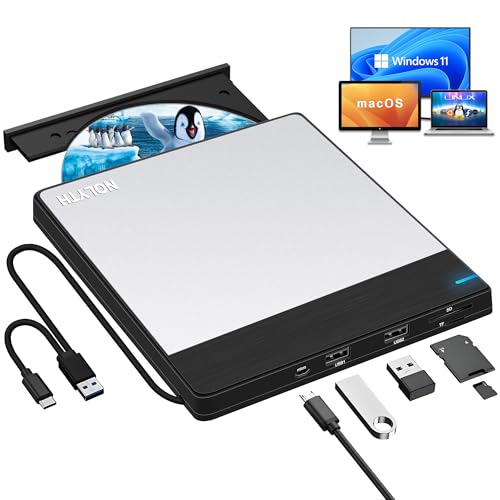
NOLYTH focuses on a Mac-friendly and Windows-friendly experience with USB-C and USB 3.0 connectivity and a claim of automatic detection on both platforms. It supports a broad range of disc formats including CD-ROM and DVD-ROM, with up to 8x DVD write speeds and 24x CD write speeds. The design emphasizes portability and ease of use, making it a sensible choice for Chromebooks that require a lightweight, travel-ready drive. The device’s dual-port design supports versatile setups, but Chromebooks should verify driver and software compatibility before heavy use, especially for archival tasks or software installations from discs.
For Chromebook users, it’s beneficial for offloading or archiving older discs and for tasks such as software installation from legacy media. Always consider the power source and whether your Chromebook’s USB port can supply consistent power for longer burning jobs.
PeroBuno External CD DVD Drive

PeroBuno brings ultra-slim portability with a 13mm-thick body and dual built-in USB cables (A and C) for easy, cable-free setup. It delivers USB 3.0 speeds up to 5 Gbps and supports up to 8x DVD read/write and 24x CD read/write. This model is designed for travelers or occasional users who need a compact drive that works across Windows, macOS, and Linux without external power or drivers. Chromebooks benefit from its slim footprint and straightforward plug-and-play approach, though users should confirm that their browser and software can access the optical drive for their intended tasks.
When selecting a drive for Chromebooks, consider your typical disc tasks: software installation, media playback, or archival backups. The PeroBuno’s small form factor is ideal for backpacks and workplaces, but ensure long-term reliability if you rely on discs for critical data transfers.
Laurensory External CD/DVD Drive
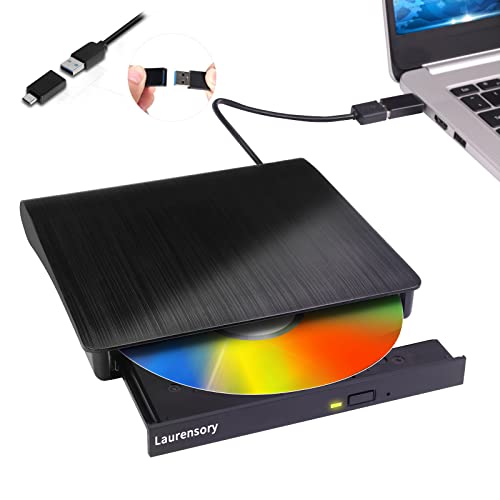
Laurensory markets a versatile external drive compatible with USB 3.0 and Type-C, designed for both CD and DVD tasks. It supports up to 8x DVDR and 24x CD read/write speeds, with a data transfer rate up to 5 Gbps. The drive emphasizes plug-and-play functionality, broad OS compatibility, and a simple setup that suits Chromebooks needing external media access. It’s a practical option for occasional disc burning or playback on laptops and desktops alike. As with all USB optical drives, the Chromebook’s compatibility will depend on ChromeOS updates and the software used for burning or ripping discs.
For Chromebooks, the Laurensory model provides a balance of speed and portability. Its wide compatibility makes it appealing for users who switch between Windows, macOS, and Linux machines, while still needing a compact drive for on-the-go tasks.
ORIGBELIE External CD DVD Drive
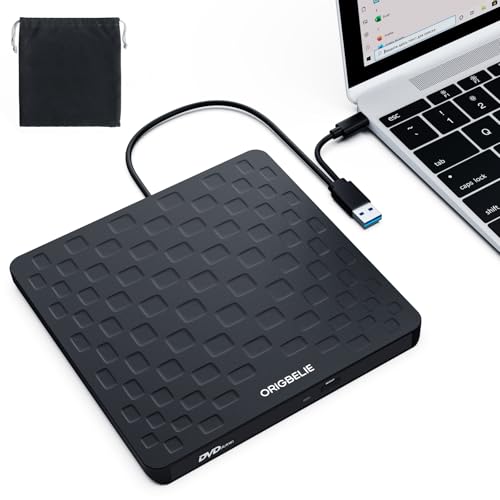
ORIGBELIE emphasizes plug-and-play operation with USB 3.0 and USB-C interfaces, delivering up to 8x DVD read/write and 24x CD read/write speeds. This drive is built for Windows, macOS, and Linux, with compatibility claims spanning 10.6 and newer Mac OS versions. Desktop users are advised to connect to rear USB ports for power stability. It explicitly excludes certain devices like TVs, Chromebooks, and some mobile platforms, so Chromebook users should test compatibility with ChromeOS and the software they intend to use. The ORIGBELIE model offers a robust feature set in a slim form, making it a credible choice for those needing reliable disc access on a Chromebook ecosystem.
In choosing a drive for ChromeOS, users should verify that their model’s USB-C or USB-A port provides stable power and that the chosen software can access external optical media. This model’s broad OS coverage helps accommodate a wide range of user setups.
Buying Guide: Key Purchase Considerations For Chromebooks
- Port compatibility: Look for drives with USB-C and USB 3.0/3.1 options for best compatibility with modern Chromebooks and to maximize power delivery and data speeds.
- Power and stability: Prefer drives that specify feeding power directly from the computer’s USB port, and avoid hubs when possible to prevent read/write interruptions.
- Disc formats supported: Ensure the drive supports CD-R/RW and DVD±R/RW, especially if you will read and write older media. Note if Blu-ray or DVD-RAM is unsupported.
- Operating system support: Confirm compatibility with ChromeOS, plus Windows, macOS, and Linux if cross-platform use is planned. Some drives may require additional configuration on Chromebooks.
- Portability vs. performance: Ultra-slim drives are great for travel but may sacrifice some robustness. If you burn discs often, prioritize a model with a sturdy build and consistent speed.
- Software needs: Some Chromebooks rely on web-based or ChromeOS apps for disc tasks. Ensure your software supports external optical drives on your device.
- Future-proofing: While optical drives are less common, a drive offering USB-C compatibility and durable construction will stay usable across a broader range of devices and OS updates.
- Price and warranty: Compare warranties and customer support. Optical drives are generally affordable, but a longer warranty can be helpful for frequent users.
- Power management on desktops: If using a desktop, connecting to rear motherboard USB ports often yields better power stability than front or hub ports.
Choosing the right external CD/DVD drive for a Chromebook involves balancing portability, compatibility, and performance. The models reviewed here span budgets and use cases, from travel-friendly units to feature-rich drives with robust data transmission. For critical tasks like software installation from discs or archival backups, test drive performance with your specific Chromebook model to confirm reliability and ensure the drive meets your workflow requirements.