For video editors using Mac, having a reliable external hard drive is essential for storage, speed, and durability. These drives must handle large video files efficiently and integrate seamlessly with Mac systems. Below is a summary table of the top external hard drives suitable for video editing on Mac, chosen for their capacity, compatibility, and performance.
| Product | Capacity | Connection | Compatibility |
|---|---|---|---|
| Seagate Portable 2TB | 2TB | USB 3.0 | Mac, Windows |
| WD Elements 2TB | 2TB | USB 3.2 Gen 1 / USB 3.0 | Mac, Windows |
| SanDisk Professional 5TB G-Drive ArmorATD | 5TB | USB-C, USB 3.2 Gen 1 | Mac (out of the box), Windows (reformat required) |
| WD My Passport 2TB for Mac | 2TB | USB 3.1 / USB 3.0 | Designed for Mac |
| Toshiba Canvio Basics 2TB | 2TB | USB 3.0 | Mac, Windows |
Seagate Portable 2TB External Hard Drive

The Seagate Portable 2TB External Hard Drive offers an easy and efficient storage solution with a 2TB capacity that fits video editing needs. It supports USB 3.0 for fast data transfer and connects automatically without requiring additional software. Designed to be compatible with both Windows and Mac computers, it provides drag-and-drop backup convenience, making it user-friendly for Mac video editors who need quick access to large files.
WD 2TB Elements Portable External Hard Drive

The WD Elements 2TB Portable Hard Drive features a compact, lightweight design with capacities scalable up to 6TB, ideal for professionals on the move. It supports plug-and-play functionality via USB 3.2 Gen 1 and USB 3.0 interfaces and works well with Mac and Windows. Its high capacity and portability make it fitting for editing large video projects while offering simplicity and quick setup.
SanDisk Professional 5TB G-Drive ArmorATD
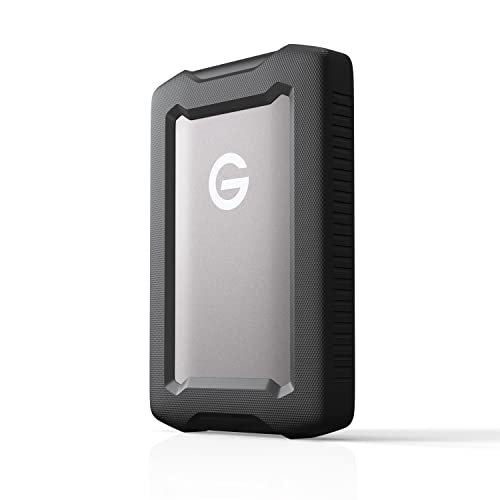
The SanDisk Professional 5TB G-Drive ArmorATD delivers robust storage with a rugged build, perfect for demanding video editors. It features a USB-C connection at 5Gbps for fast file transfers and offers transfer speeds up to 130MB/s. This drive works seamlessly with macOS right out of the box, while Windows compatibility requires reformatting. Its durable design protects data in rough environments, appealing to mobile Mac video editors.
WD 2TB My Passport for Mac External Hard Drive

The WD My Passport 2TB for Mac is specifically designed for Mac users with a slim and durable form factor. It offers plug-and-play compatibility with macOS and supports USB-C connectivity for effortless transfers. This drive includes backup software and password protection, catering to video editors looking to secure important project files while enjoying reliable external storage with easy access.
Toshiba Canvio Basics 2TB Portable External Hard Drive

The Toshiba Canvio Basics 2TB features a sleek profile with a matte, smudge-resistant finish, ideal for professional setups. It offers USB 3.0 plug-and-play compatibility with no software installation necessary. This drive quickly expands storage capacity and works well across Mac and PC systems, making it suitable for video editors who need straightforward, reliable storage for large media files.
Buying Guide for External Hard Drives for Video Editing on Mac
Choosing the right external hard drive for video editing on a Mac requires attention to several key factors. Here are the most important considerations:
Storage Capacity
Video files consume significant space, especially in higher resolutions like 4K or 8K. Drives with at least 2TB of storage are recommended, with options of 5TB or more for professional workloads or extensive project archives.
Speed and Interface
Fast data transfer speeds are critical for efficient video editing. Look for drives with USB-C or USB 3.0/3.2 Gen 1 interfaces. USB-C offers faster connectivity and better compatibility with modern Macs. Transfer speeds exceeding 100MB/s help reduce lag during file access.
Mac Compatibility
Ensure the drive supports Mac out of the box to avoid formatting issues. Many drives are preformatted for Windows and require reformatting; some models are specifically designed for Mac compatibility, streamlining setup and system integration.
Durability and Portability
For editors who work on the go, ruggedness and compact design are advantages. Drives like the SanDisk Professional G-Drive ArmorATD offer dust, drop, and water resistance. Lightweight models improve travel convenience without sacrificing performance.
Security Features
Password protection and hardware encryption (such as 256-bit AES encryption) safeguard sensitive project files. Drives that include backup software also simplify regular data backups, reducing the risk of data loss.
Backup and Software Tools
Some external hard drives come bundled with proprietary backup applications that automate data protection. Consider whether you need integrated backup solutions for workflow efficiency and peace of mind.
Price and Warranty
Evaluate the cost concerning capacity and features. Additionally, check the warranty period and support services, as these provide added value and confidence for professional use.