Choosing the best desktop for editing videos is crucial for creators who need speed, reliability, and robust specs. This article highlights the top video editing desktops on Amazon, offering various configurations optimized for 4K, 8K, and professional 3D rendering workflows. Below is a comparison table of selected models to help you quickly identify your ideal editing setup.
| Model | Processor | RAM | Storage | Graphics | Operating System |
|---|---|---|---|---|---|
| HP Video Editing CAD 800 G1 | Intel Core i7-4570 3.2 GHz | 32GB DDR5 | 480GB SSD + 10TB HDD | RX-550 4GB GDDR5 | Windows 10 Pro |
| CPU Solutions VidCore Ultra 9 | Intel Core Ultra 9 15th Gen, 24-Core 5.7 GHz | 128GB DDR5 | 2TB NVMe SSD | Quadro RTX 4000 ADA 20GB GDDR6 | Windows 11 Pro |
| CPU Solutions 4K/8K Core Ultra 7 | 15th Gen Intel Core Ultra 7, 20 Cores | 128GB DDR5 | 2TB SSD | Quadro RTX 2000 ADA 16GB | Windows 11 Pro |
| Dell Video Editing CAD OptiPlex 7020 | Intel Core i7-4570 3.2 GHz | 16GB DDR5 | 240GB SSD + 3TB HDD | RX-550 4GB DDR5 | Windows 11 Pro |
| CPU Solutions VidCore Pro i9 14900KF | Intel Core i9 14900KF 6.0 GHz 24-Core | 64GB DDR5 | 2TB NVMe SSD | Quadro RTX 4000 ADA 20GB GDDR6 | Windows 11 Pro |
HP Video Editing CAD 800 G1 Desktop PC
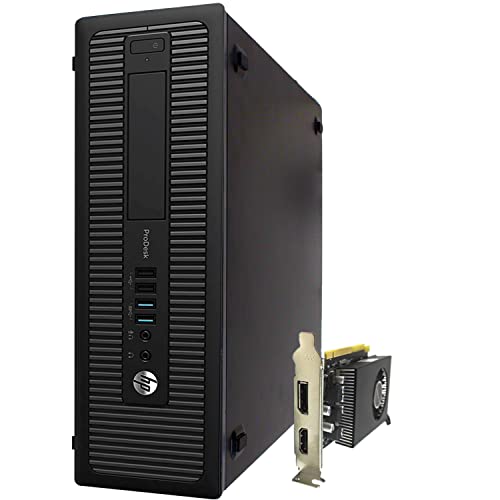
This HP desktop features an Intel Core i7-4570 processor running at 3.2 GHz, delivering solid performance for standard video editing workflows. With 32GB DDR5 RAM, it supports smooth multitasking, accommodating multiple editing and rendering apps. The combination of a 480GB SSD for fast boot and application loading, plus a massive 10TB HDD, ensures ample storage for high-resolution video projects. Its RX-550 4GB GDDR5 graphics card is suitable for light editing tasks and accelerated rendering. Windows 10 Pro comes pre-installed, providing a familiar OS environment.
CPU Solutions VidCore Ultra 9, 24-Core Video Workstation
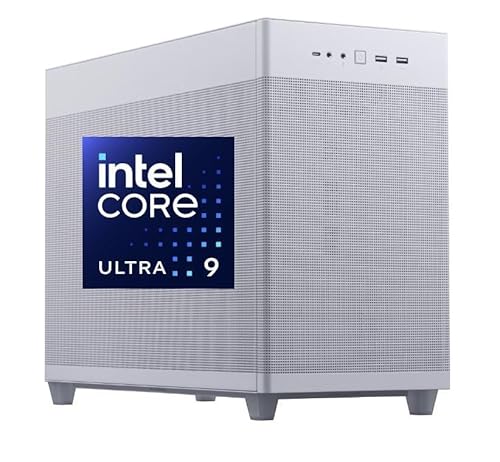
This powerhouse desktop utilizes the 15th Gen Intel Core Ultra 9 285K processor with 24 cores and speeds up to 5.7 GHz for handling 4K, 8K, and 3D editing tasks effortlessly. Its 128GB RAM supports massive multitasking and complex video projects without lag. The 2TB PCIe NVMe SSD offers rapid file access and editing responsiveness. Graphics performance is driven by the Quadro RTX 4000 ADA 20GB GDDR6 GPU, capable of supporting up to four 8K monitors, perfect for expansive editing displays. It also includes multiple USB 3.2 and Type-C ports and wireless networking for versatile connectivity.
CPU Solutions 4K/8K Editing PC With Core Ultra 7 Processor

Built for advanced video creators, this PC integrates a 15th Gen Intel Core Ultra 7 processor with 20 cores and a turbo boost up to 5.3 GHz for advanced editing speed. It comes with 128GB DDR5 RAM ideal for multitasking and handling heavy editing software. Storage includes a 2TB NVMe SSD enabling fast load and write speeds. The desktop features a Quadro RTX 2000 ADA 16GB GPU offering interactive performance for HD video editing and 3D rendering. Its efficient cooling system and robust power supply maintain stability during extended sessions.
Dell OptiPlex 7020 Video Editing Desktop

The Dell OptiPlex 7020 features an Intel Core i7-4570 3.2 GHz processor suitable for various video editing tasks. Its 16GB DDR5 memory provides decent multitasking capacity. The storage setup includes a 240GB SSD for fast boot and app loading plus a 3TB HDD for storing large media files. Equipped with an RX-550 4GB DDR5 graphics card, it handles video rendering efficiently for mid-level projects. Windows 11 Pro offers the latest OS optimizations for creators.
CPU Solutions VidCore Pro i9 14900KF Video Editing PC
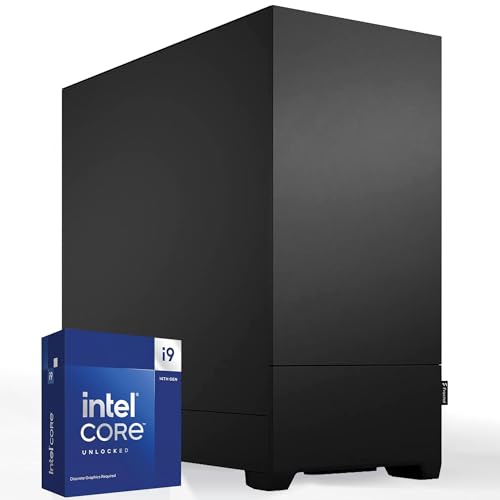
This professional-grade desktop is powered by the 14th Gen Intel Core i9 14900KF 6.0 GHz 24-core processor geared for high-end video workflows. With 64GB DDR5 RAM, it balances speed and memory requirements efficiently. 2TB NVMe SSD storage promises rapid data handling speeds essential for editing large video files. The Quadro RTX 4000 ADA 20GB GDDR6 GPU supports up to four 8K monitors, ideal for detailed visual editing tasks. It also employs a high-quality liquid cooling system to maintain performance under intense workloads.
Buying Guide for the Best Desktop for Video Editing
Processor Power and Cores
The processor is the heart of a video editing desktop. Look for high-core-count CPUs such as Intel Core i7, i9, or the latest 15th Gen Core Ultra processors. Multi-core and high clock speeds (3.2 GHz and above) enable faster rendering and smoother real-time editing.
RAM Capacity
RAM significantly affects multitasking and editing of large files. For HD editing, a minimum of 16GB is required, but for 4K or 8K workflows, 64GB to 128GB DDR5 RAM is recommended to avoid bottlenecks and speed up previews and rendering.
Storage Setup
Opt for fast NVMe SSDs for your OS and active project files to reduce load times. Additional HDD storage in terabytes is beneficial for archiving footage. A combination of SSD + HDD offers both speed and capacity.
Graphics Card
A dedicated GPU like NVIDIA Quadro RTX series or AMD RX550 is essential for GPU-accelerated effects, 3D rendering, and multiple display outputs. Higher VRAM (16GB to 20GB) supports complex visual effects and multiple 4K/8K monitors.
Connectivity and Expandability
Ensure the desktop offers plenty of high-speed USB ports including USB-C, DisplayPort outputs, and Ethernet or WiFi 6 for fast file transfers and accessory connectivity. Expandable RAM slots and drive bays also allow future upgrades.
Cooling and Power Supply
Video editing tasks generate heat during long sessions. Efficient air or liquid cooling systems paired with reliable power supplies (650W or higher) help maintain stable performance and protect hardware longevity.