If you’re shopping for a cost-effective all-in-one inkjet printer, you want options that balance price, performance, and ongoing ink costs. This guide highlights five budget-friendly models that cover printing, scanning, and copying, with easy setup and reasonable running costs. Each product below includes key features, connectivity, and how it fits different use cases—from casual home tasks to light home-office workloads. The selection emphasizes reliability, cloud compatibility, and affordable ink options to help you choose wisely.
| Product | Brand | Key Strength |
|---|---|---|
| Brother MFC-J1360DW | Brother | Automatic duplex, compact design |
| HP OfficeJet Pro 8125e | HP | AI-enabled shortcuts, robust home-office features |
| HP DeskJet 2827e | HP | Value-friendly color printing |
| Canon PIXMA TS6420a | Canon | OLED-like status and compact style |
| HP Smart Tank 5101 | HP | High-volume ink system |
Brother Work Smart 1360: All-In-One for Home Use

The Brother MFC-J1360DW is designed for small spaces and practical daily tasks. It combines print, copy, and scan functions with automatic duplex printing to save paper. A 1.8″ color display provides simple navigation and setup, while cloud app connections enable direct printing from popular services like Google Drive, Dropbox, Box, and OneDrive. The printer supports a 150-sheet paper tray and a 20-sheet ADF, making it suitable for light office workflows. Speeds reach up to 16 ppm in black and 9 ppm in color, balancing cost and productivity for home offices.
HP OfficeJet Pro 8125e: AI-Enhanced Home Office Printer

The HP OfficeJet Pro 8125e targets home offices with a focus on efficiency and smart integration. It supports wireless all-in-one functionality, including print, scan, and copy, with a reliable connection and AI-enabled features to optimize print output. The device is designed for reliability in everyday home-office tasks and offers app-driven printing from mobile devices, making it convenient for remote work, study tasks, and document-heavy workflows without a steep upfront investment.
HP DeskJet 2827e: Affordable Everyday Color
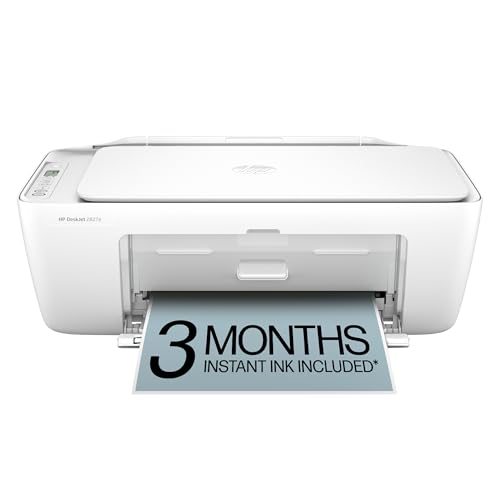
The DeskJet 2827e offers color printing, copying, and scanning at a budget-friendly price point. It’s well-suited for to-do lists, recipes, letters, and basic documents around the home. While not a high-volume workhorse, its compact footprint and straightforward setup make it a practical choice for students or households needing reliable everyday printing. HP AI features help produce clean layouts and legible text, reducing wasted pages and improving overall print quality for common household tasks.
Canon PIXMA TR4720: Reliable Everyday All-In-One

The Canon PIXMA TR4720 is built for home use with a 4-in-1 setup that includes a built-in fax, auto-document feeder, and wireless printing. It offers easy ink cartridge replacement and is designed for simplicity, making it a practical option for households needing reliable scanning and copying, especially for documents and forms. The compact footprint fits well in small home offices or living spaces where space is at a premium.
HP Envy 6155e: Everyday Color with AI Aids
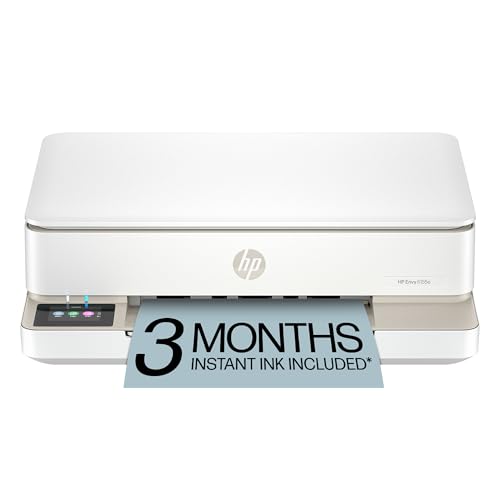
The HP Envy 6155e focuses on everyday color printing with scanning and copying, and includes AI-powered features to help streamline page layouts and reduce wasted pages. It supports auto two-sided printing and a sizable input tray, combining convenience with improved efficiency for school projects, home office tasks, and daily document needs. This model serves households seeking balanced performance and cost-conscious running expenses, along with easy setup and mobile printing support.
HP Smart Tank 5101: High-Volume Ink System
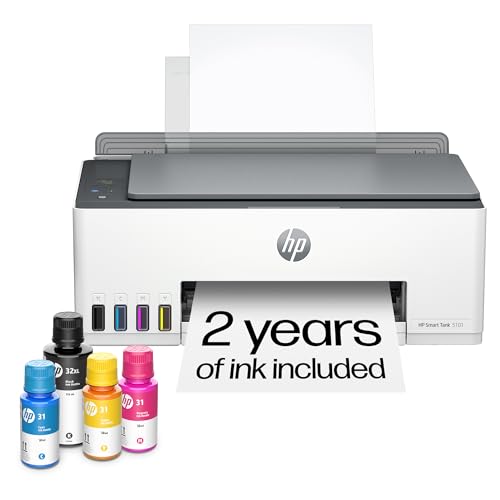
The HP Smart Tank 5101 is designed for high-volume color printing with a refillable ink system, offering substantial running cost savings. It includes essential scanning and copying features and is ideal for families or small offices that print frequently. The two-year ink-included package and self-healing Wi-Fi help reduce maintenance and downtime, while mobile printing keeps tasks flexible across devices and spaces. This model emphasizes ink economy and long-term value for frequent printers.
Buying Guide
- Ink costs and refillability: Look for high-capacity ink tanks or affordable refill options. Models with included long-term ink trials can reduce first-year running costs.
- Print volume and paper handling: If you print large documents, choose printers with larger input trays and optional auto-document feeders. Duplex (two-sided) printing saves paper.
- Connectivity: Cloud Printing and mobile apps improve convenience. Ensure your chosen model supports your devices and services (Google Drive, Dropbox, iCloud, AirPrint, etc.).
- Ease of use: A clear display, simple menus, and straightforward setup help minimize the learning curve, especially for shared home-office devices.
- Reliability and warranty: Consider models with robust build quality and reputable service support for peace of mind in everyday use.
- Space and footprint: For home use, pick a compact model unless you need higher capacity and faster speeds for a small office.
- Color accuracy and photo quality: If color accuracy matters for photos or documents with visuals, compare color density and print settings.
When evaluating these options, balance upfront cost with ink costs, feature set, and how well the printer fits your daily tasks. For households with substantial color printing needs, HP Smart Tank and Envy lines offer strong running-cost economics. For compact spaces, Canon and HP entry-level models provide solid everyday performance with simple operation. The Brother MFC-J1360DW blends affordability with useful productivity features like a duplex printer and cloud app connectivity, making it a practical all-in-one solution for many homes and small offices.