Finding a reliable 2TB internal SSD can dramatically boost boot times, file loading, and overall system responsiveness. Below are five top 2TB SATA SSDs that balance speed, durability, and value. The quick reference table lists key specs at a glance to help you compare options quickly.
Selected products at a glance
| Brand | Model | Interface | Sequential Speed (approx.) | Notes |
|---|---|---|---|---|
| Crucial | BX500 2TB | SATA III | Up to 540 MB/s | Energy efficient, solid all-around performance |
| Western Digital | WD Blue SA510 2TB | SATA III | Up to 560 MB/s | Compact, reliable SATA upgrade |
| PNY | CS900 2TB | SATA III | Up to 550 MB/s read, 530 MB/s write | Strong OS boot and app loads |
| Silicon Power | SU002TBSS3A55S25EC | SATA III | 3D NAND with SLC cache | High performance with cache boost |
| TEAMGROUP | QX 2TB | SATA III | Up to 560/500 MB/s | Smart dual cache, durable |
Crucial BX500 2TB 3D NAND SATA SSD

The Crucial BX500 2TB offers solid everyday performance and reliability. It is designed to speed up boot times, load files faster, and improve system responsiveness. As a 2.5-inch SATA SSD, it delivers up to 540 MB/s sequential read speeds, with energy efficiency that contributes to longer battery life on laptops. Features focus on steady performance gains that replace traditional hard drives in mainstream desktops and laptops.
Western Digital WD Blue SA510 2TB SSD

The WD Blue SA510 2TB is a compact 2.5-inch SATA SSD designed for seamless system upgrades. It offers competitive sequential speeds up to 560 MB/s, appealing to users seeking a straightforward installation and reliable everyday performance. This drive is suitable for gaming rigs, office desktops, and laptops needing a dependable storage boost with improved power efficiency compared to HDDs.
PNY CS900 2TB Internal SSD

PNY’s CS900 2TB drives offer a strong balance of cost and speed, with up to 550 MB/s sequential read and 530 MB/s write capabilities. The drive targets faster OS boot times and quicker application loading, delivering a noticeable improvement over traditional hard drives. It’s a practical choice for multimedia editors and gamers upgrading aging systems without sacrificing reliability.
Silicon Power SU002TBSS3A55S25EC 2TB SSD
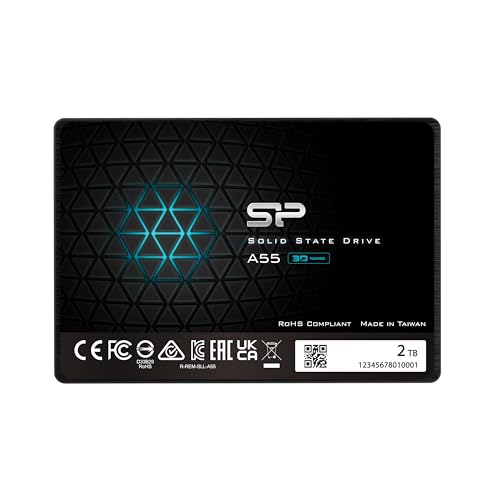
The Silicon Power SU002TBSS3A55S25EC uses 3D NAND with SLC caching to deliver high transfer speeds and responsive performance. It emphasizes fast boot sequences and improved system performance, with a slim 7mm design suitable for Ultrabooks and smaller laptops. The SLC cache technology helps sustain performance over longer workloads for daily computing tasks.
TEAMGROUP QX 2TB SATA III SSD
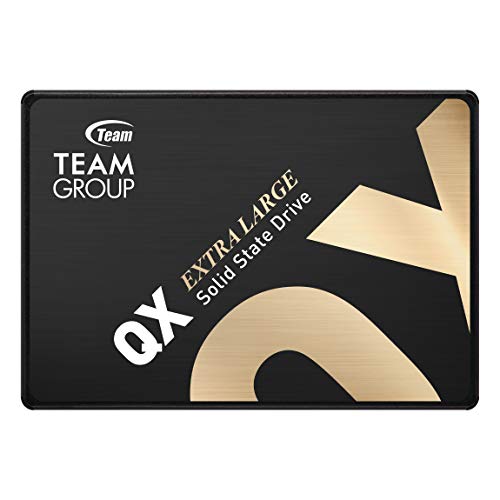
TEAMGROUP QX 2TB combines smart cache with 3D NAND technology to deliver robust performance. It’s designed to outpace traditional mechanical drives and maintain steady performance under workload. The drive emphasizes durability, with stability features aimed at minimizing vibration and noise while delivering reliable data transfer rates up to 560 MB/s read and 500 MB/s write.
Buying Guide: Key Considerations for 2TB SATA SSDs
- Interface and form factor: All five drives use SATA III in a 2.5-inch form factor. Ensure your system has available 2.5-inch bays and SATA ports for upgrade compatibility.
- Sequential speeds: While practical gains depend on many factors, higher sequential read/write speeds generally translate to faster OS boot times and quicker file transfers. Look for drives in the 540–560 MB/s read range for best general performance.
- Endurance and warranty: Consider TBW (terabytes written) ratings and warranty length. Higher endurance is beneficial for frequent file transfers and heavy workloads, especially in laptops with limited cooling.
- Cache and 3D NAND: Drives with SLC or DRAM cache and 3D NAND typically offer more consistent performance under sustained loads and longer device lifespans.
- Power efficiency: For laptops, energy efficiency contributes to longer battery life. SSDs with lower active power consumption can extend runtime on the go.
- Price-to-performance: Compare price per gigabyte and real-world benchmarks from reputable reviews to determine the best value for your needs.
- Brand and warranty support: Established brands with solid support ecosystems can simplify firmware updates and troubleshooting.
All five options provide a reliable path to doubling your storage capacity with faster performance relative to HDDs. When choosing, align the drive’s endurance, cache technology, and price with how you use your PC—gaming, content creation, or everyday computing.